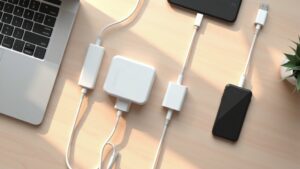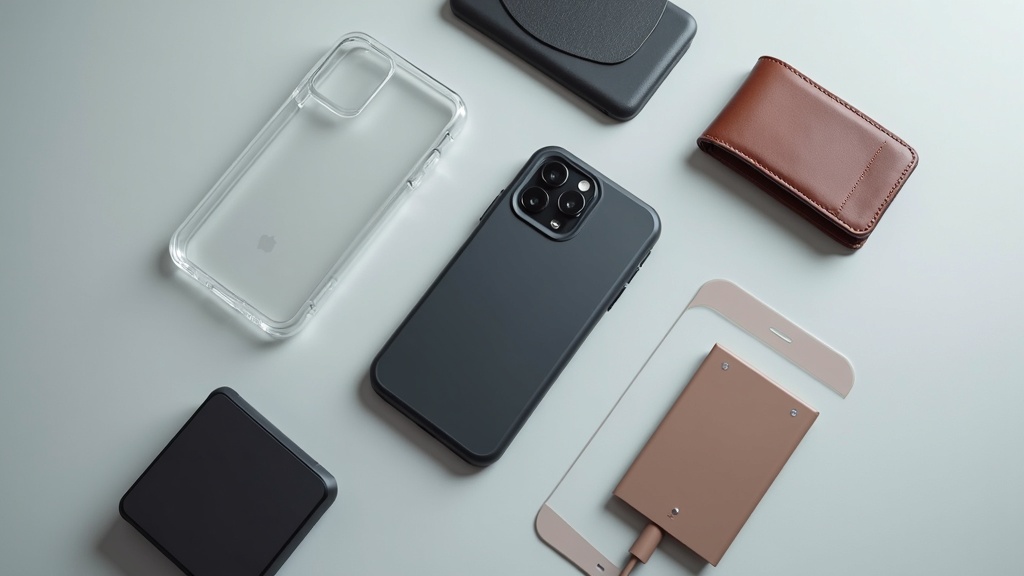
Key Points to Check Before Buying iPhone 17e Accessories
Have you ever bought a case or screen protector only to discover that the button cutouts were off or the charging port was blocked? To avoid buyer’s remorse with iPhone 17e accessories, it’s essential to verify the device specs before you shop.
How to Check iPhone 17e Dimensions and Button Layout on Apple’s Official Site
Apple’s product pages list the exact dimensions, weight, and button placement for every model. Most third-party accessories are labeled as compatible with a specific screen size (e.g., “fits 6.1-inch models”), but two phones with the same screen size can have different overall dimensions — so relying on the inch measurement alone can lead to a poor fit.
Go to Apple’s Official Website
Open the iPhone 17e product page from apple.com.
Select the “Tech Specs” Tab
Find the specs section at the bottom of the page or via the “Specifications” link, and note the height, width, depth, and weight.
Check the Button Layout Diagram
Verify the presence and location of the side button, volume buttons, and Action button, then compare them against the cutouts of the case you plan to buy.
Why MagSafe Compatibility Changes Which Accessories You Should Buy
MagSafe uses an array of magnets built into the back of the iPhone to let you snap on cases, wireless chargers, and wallets with a single touch. MagSafe-compatible cases include an embedded magnet ring designed for this system. If you use a non-MagSafe case, the magnetic force is weakened and charging efficiency may drop as a result.
Note: “MagSafe charger compatible” and “MagSafe-compatible case” are two different things. The former simply means the case allows wireless charging (such as Qi2) without magnetic alignment — it does not guarantee a strong hold for magnetic accessories.
Always check Apple’s official tech specs page to confirm whether the iPhone 17e includes MagSafe. If it does, you’ll have access to a wide ecosystem of accessories, including magnetic cases, MagSafe wallets, and car mounts.
How to Read Compatibility Labels on Cases, Screen Protectors, and Accessories
Compatibility descriptions vary widely — you’ll see labels like “Designed for iPhone 17e,” “Compatible with iPhone 17 / 17e,” or “Fits 6.1-inch models.” Understanding what each means helps you avoid buying the wrong product.
- “Designed for iPhone 17e”: Camera cutouts and button openings are machined specifically for this model. This is the most reliable label to look for.
- “Compatible with [model] / 17e”: Designed to fit multiple models. Usually fine when the physical sizes are close, but button placement differences can make it awkward to use.
- “Fits [X]-inch models”: Based on screen size only — not necessarily the overall body dimensions. This is less of a concern for flat screen protectors, but matters more for form-fitting cases.
When in doubt, go directly to the manufacturer’s website and check their official list of compatible models.
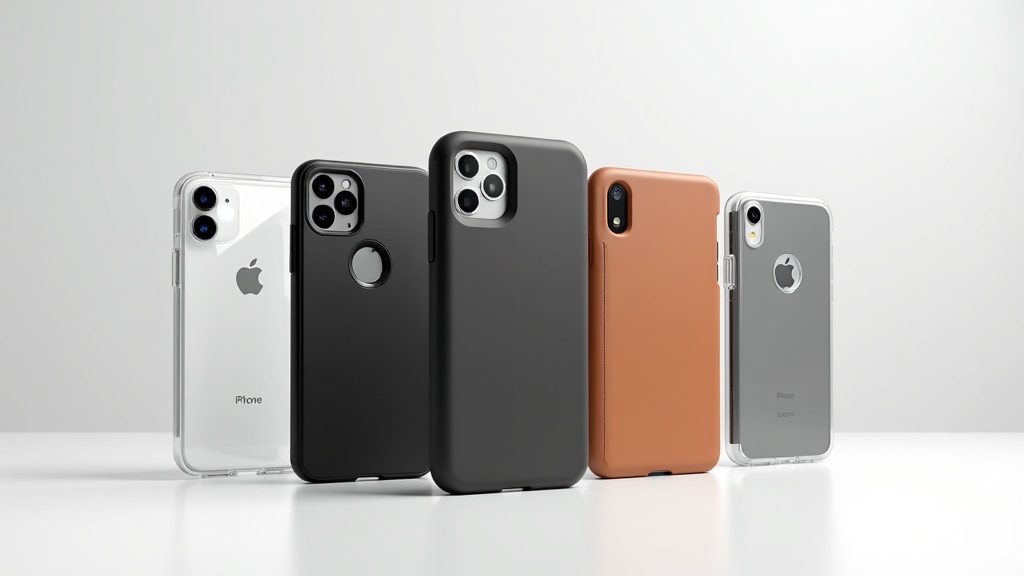
Top 10 Cases & Accessories by Use Case
Based on the iPhone 17e specs we covered in the previous section, here are 10 hand-picked products organized by use case. The key to finding the right accessory isn’t just going with whatever’s popular — it’s matching the product to how you actually use your phone.
[Slim & Lightweight] Spigen Liquid Air for iPhone 17e
Ever slap a case on your phone and feel like you’re carrying a brick? The Liquid Air is a thin TPU case designed to answer that frustration head-on.
One of the slimmest options in Spigen’s lineup, the Liquid Air is engineered with minimal bulk in mind — you’ll barely notice it’s there. The back features a subtle spider-web texture that doubles as a grip surface, keeping your phone from sliding out of hand.
- Lightweight TPU material with a secure grip
- Matte finish that resists fingerprint smudges
- No MagSafe support — if you rely on MagSafe accessories, look at other models
Heads up: There’s no built-in MagSafe ring, so MagSafe accessories won’t magnetically align properly. Wireless charging still works, but don’t expect magnetic snap-on functionality.
Check the official site or Amazon listing for current pricing and full specs.
If you’re after the best balance of lightness and grip, check Amazon for current pricing, availability, and user reviews — there’s plenty of real-world feedback to help you decide.
Spigen Liquid Air for iPhone 17e
[Clear & MagSafe-Ready] Spigen Ultra Hybrid MagFit for iPhone 17e
Want to show off your iPhone’s color while still using MagSafe? The Ultra Hybrid MagFit is one of the strongest contenders for exactly that combination.
The clear back panel paired with a reinforced frame keeps your phone looking sharp while offering solid drop protection. A built-in MagSafe ring in the center ensures reliable magnetic alignment with chargers and accessories.
- A long-running fan favorite in the clear case category
- Built-in MagSafe ring for full magnetic accessory compatibility
- Hybrid construction combining TPU and polycarbonate
Downside: Clear cases tend to yellow over time — that’s just the nature of the material. This applies to Spigen and pretty much every other brand making clear cases.
If you’re looking for a MagSafe-compatible clear case, check Amazon for current pricing, stock, and reviews to help make your decision.
Spigen Ultra Hybrid MagFit for iPhone 17e
[Heavy-Duty Protection] Spigen Tough Armor MagFit for iPhone 17e
If you’ve cracked a screen despite having a case on, it might be time to step up to something more serious. The Tough Armor MagFit is one of Spigen’s bulkier, dual-layer models built for those who need real protection.
An outer polycarbonate shell combined with an inner TPU liner works together to absorb and disperse impact — with extra thickness at the corners where drops tend to hit hardest. True to the MagFit branding, it includes a built-in MagSafe ring, so you don’t have to trade MagSafe compatibility for drop protection.
- Dual-layer construction for strong impact resistance
- Built-in MagSafe ring
- Some variants include a built-in kickstand
Downside: This case is noticeably thicker and heavier than other Spigen options. If keeping weight low is a priority, the Liquid Air or Ultra Hybrid will serve you better.
If you want MagSafe convenience without compromising on drop protection, check Amazon for current pricing and availability.
Spigen Tough Armor MagFit for iPhone 17e
[MagSafe Maximalist] ESR HaloLock Magnetic Clear Case
If you’re all-in on the MagSafe ecosystem, your options extend well beyond Apple’s own lineup. ESR’s HaloLock series has built a reputation for strong MagSafe compatibility and precise ring placement.
It keeps the clear-case aesthetic while housing a MagSafe ring inside, so it works smoothly with chargers, wallets, stands, and other MagSafe accessories. ESR puts particular emphasis on magnet ring alignment accuracy, and users who care about a strong magnetic snap tend to appreciate the result.
- Clear case with built-in MagSafe ring
- Often more affordable than comparable Spigen options
- Compatible with ESR’s own HaloLock accessory ecosystem
Downside: Yellowing over time is a risk, same as any clear case. ESR also has lower name recognition than Spigen or OtterBox, and is harder to find in physical retail stores.
If maintaining MagSafe performance is non-negotiable, check Amazon for the latest pricing and stock. If yellowing is a concern, it’s worth reading through reviews to see how the HaloLock holds up over time.
ESR HaloLock Magnetic Clear Case for iPhone 17e
[Military-Grade Protection] UAG Monarch Series for iPhone 17e
On a construction site, out in the field, or working in an industrial environment — standard “rugged” cases sometimes just don’t cut it. UAG’s (Urban Armor Gear) Monarch Series is designed and tested to meet MIL-STD-810G military drop test standards.
The five-layer protection system includes cushioned corners that absorb shock on impact. Material options include leather and carbon fiber, making it one of the rare cases that combines genuine toughness with premium build quality.
- MIL-STD-810G military drop test certified
- Five-layer construction for multi-angle protection
- Premium material variants available (leather, carbon fiber, etc.)
Downside: The protection comes at a cost — this case is thick and heavy. If pocketability or one-handed use matters to you, that’s worth thinking about. It’s also priced higher than most other cases on this list.
Pricing and availability change frequently, so check the link for the latest information if you’re interested.
UAG Monarch Series for iPhone 17e
[Modular Mount System] Peak Design Mobile Case for iPhone 17e
If you’re thinking beyond just a case and want a full mounting ecosystem, Peak Design’s mobile case is in a league of its own. Known for their camera accessories, Peak Design brings that same philosophy to mobile — letting you connect your phone to bike mounts, tripods, backpack clips, and more.
A simple slide-in mechanism locks the case into any compatible mount, and the attachment/detachment process is remarkably smooth. It also maintains MagSafe compatibility while adding a proprietary mechanical locking system that doesn’t rely on magnets alone.
- Compatible with a wide range of mounts: bikes, tripods, backpacks, and more
- Physical slide-lock mechanism for secure attachment
- MagSafe compatibility retained
Downside: The case itself isn’t cheap, and the mounts are sold separately. If you’re not already invested in the Peak Design ecosystem for cameras or laptops, the upfront cost can feel steep.
If the ecosystem’s versatility appeals to you, check the official site to browse compatible accessories alongside current case pricing and availability.
Peak Design Mobile Case for iPhone 17e
[Trusted Brand] OtterBox Symmetry Series+ for iPhone 17e
OtterBox has earned its reputation as the go-to brand for drop protection over many years. The Symmetry Series+ sits on the slimmer end of OtterBox’s lineup — a middle ground between protection and everyday portability.
The “+” designation means it includes a built-in MagSafe ring, giving you access to the full range of MagSafe accessories. It also comes in a wide range of colors, so there’s plenty of room for personal expression.
- OtterBox brand reliability with warranty support
- Built-in MagSafe ring (Symmetry Series+)
- Wide color selection
Downside: Protection isn’t as robust as OtterBox’s heavier-duty Defender series. Also, official retail pricing can be higher than gray-market imports. Check the official site for current pricing.
If you want solid drop protection alongside MagSafe functionality, check Amazon for protection ratings, available colors, and current prices.
OtterBox Symmetry Series+ for iPhone 17e
[Screen Protector] Spigen GLAS.tR EZ FIT for iPhone 17e
Ever fumbled a tempered glass installation — bubbles everywhere, crooked alignment? The EZ FIT series was designed specifically to reduce those kinds of mistakes. It comes with an alignment frame that holds the glass in exactly the right position before you press it down, making off-center application much less likely.
The glass itself is rated 9H hardness, offering strong scratch resistance.
- Alignment frame included to minimize installation errors
- 9H hardness tempered glass
- Oleophobic coating for easy fingerprint wiping
Downside: The alignment frame is only useful at home — re-applying it on the go without the frame is still tricky. Also, in rare cases, the edges may lift slightly depending on case compatibility.
This model is well-regarded for easy application and bubble-free results. If you’ve struggled with screen protector installs before, it’s worth checking the price and reviews on Amazon.
Spigen GLAS.tR EZ FIT for iPhone 17e
[Screen Protector] Belkin ScreenForce UltraGlass for iPhone 17e
Belkin’s ScreenForce line has been carried in Apple Stores, which gives it a certain credibility by association. The UltraGlass model prioritizes thinness and optical clarity while still using real glass.
It’s engineered to minimize any impact on touch sensitivity — a big plus for anyone who’s felt that slightly “off” feeling from thick screen protectors.
- Trusted brand with Apple Store retail presence
- Thin profile designed to preserve touch sensitivity
- Some variants include UV coating
Downside: Unlike Spigen’s EZ FIT, most Belkin models don’t come with an alignment guide, so first-time installers will need to be more careful with positioning. It’s also generally priced higher than Spigen.
This protector earns consistently strong marks for clarity and durability. If you’re still on the fence, check Amazon for current pricing and stock before deciding.
Belkin ScreenForce UltraGlass for iPhone 17e
[MagSafe Wallet] Anker 622 Magnetic Wallet (MagGo)
Want to ditch the separate wallet and keep everything on the back of your phone? Among MagSafe wallets, Anker’s 622 Magnetic Wallet stands out for its value.
It magnetically attaches to any MagSafe-compatible case and holds 2–3 cards in a slim profile. There’s also a built-in kickstand for hands-free horizontal video viewing. Anker’s reliable customer support and wide availability are added bonuses.
- Slim design fits 2–3 cards
- Built-in kickstand for video viewing
- More affordable than Apple’s official MagSafe wallet
Downside: Magnetic attachment means it can shift or detach during vigorous movement. Transit cards and other magnetic stripe cards may not play well with it — worth checking before you rely on it. It also doesn’t have the card-detection feature that Apple’s wallet has when connected to your iPhone.
Quick-pick guide: Want minimal bulk? Go with the Liquid Air. Need a clear case with MagSafe? Ultra Hybrid MagFit. Maximum protection? UAG Monarch. Love accessory ecosystems? Peak Design. Match the pick to how you actually use your phone, and you’re unlikely to regret it. Check each product’s listing for the most current pricing and stock.
The appeal here is simple: snap it on with one motion and head out the door with just your phone. If that sounds like your style, check Anker’s page for compatible models and card capacity details.
iPhone 17e Accessories Comparison Chart
Here’s a quick-reference table covering all 10 products introduced in the previous section. If you already know what you need, just scan down the relevant column to narrow your choices fast.
Cases (6 Options): MagSafe Compatibility, Drop Protection, Slim Profile & Price Range
| Product | MagSafe Compatible | Drop Protection | Slim Profile | Price Range (Est.) |
|---|---|---|---|---|
| Spigen Ultra Hybrid (Clear) | ◯ | ★★☆ (Everyday use) | Slim | $14–$22 |
| Spigen Tough Armor | ◯ | ★★★ (MIL-STD-810G) | Slightly bulky | $22–$33 |
| ESR HaloLock Clear Case | ◯ (HaloLock) | ★☆☆ (Slim-first design) | Ultra-slim | $14–$22 |
| MOFT Snap Phone Case | ◯ | ★★☆ | Slim | $22–$29 |
| Ringke Fusion (Clear Reinforced) | ◯ | ★★☆ | Standard | $11–$18 |
| Folio Leather Case (Universal) | × to ◯ (varies by product) | ★★☆ (Full-body protection) | Bulkier | $14–$36 |
Drop protection ratings are relative (more ★ = better). Cases certified to MIL-STD-810G have passed standardized drop tests, but real-world drops vary widely — don’t treat any rating as a guarantee.
Screen Protectors (2 Options): Hardness, Ease of Application & Price Range
| Product | Material & Hardness | Ease of Application | Price Range (Est.) |
|---|---|---|---|
| Spigen GLAS.tR EZ Fit | Tempered glass · 9H | ◎ (Alignment frame included) | $14–$22 |
| BELLEMOND Tempered Glass | Tempered glass · 9H | ○ (No alignment guide) | $7–$14 |
9H is the standard hardness rating for tempered glass protectors — highly scratch-resistant, but prone to cracking from edge impacts. Whether an alignment guide is included matters more than most people expect. If it’s your first time applying a glass protector, go with one that includes a guide to avoid costly mistakes.
Accessories (2 Options): Use Case, MagSafe Compatibility & Price Range
| Product | Primary Use | MagSafe Compatible | Price Range (Est.) |
|---|---|---|---|
| MagSafe Wallet (Apple Official) | Card storage & stand | ◎ (Official) | See Apple’s website |
| MagSafe Battery Pack (ESR, etc.) | On-the-go charging | ◯ | $22–$44 |
A note on pricing: All prices above are estimates at the time of writing. Amazon and other retailers run frequent sales, so check current prices before buying. For Apple first-party products, the official Apple website is the most reliable source for accurate pricing.
How to Choose an iPhone 17e Case: 3 Key Factors
Have you ever regretted a case purchase? Picked one for looks, then dropped your phone because it was too slippery? Noticed your MagSafe got weaker? Couldn’t fit it in your pocket? These are all common mistakes. Nail these three factors and you’ll almost never go wrong.
Factor 1: Match the Case to Your Use Case (Everyday, Outdoors, Business)
What you need from a case depends heavily on where you use it. Here’s a simple breakdown by scenario.
Case Recommendations by Scenario
- Everyday carry: Slim TPU or clear hard cases. Prioritize lightweight feel and comfortable grip.
- Outdoors & sports: MIL-STD-810G certified rugged cases. Check grip texture too.
- Business: Genuine leather, PU leather, or fabric cases. Protects against scratches in bags while looking polished.
Factor 2: MagSafe Use Determines the Right Material and Build
If you plan to use MagSafe accessories, the case material and internal structure matter. Thick TPU or cases with metal plates can weaken the magnetic connection, so stick to products explicitly labeled “MagSafe compatible.”
Even clear cases can be MagSafe-incompatible. Always check the spec sheet to confirm whether the case has a built-in magnetic alignment ring before buying.
Factor 3: Material Characteristics (TPU, Polycarbonate, Leather, Aluminum)
Each material has trade-offs. Most modern cases combine two or more materials to balance their strengths.
| Material | Pros | Cons |
|---|---|---|
| TPU | Shock-absorbing, flexible, affordable | Yellows over time |
| Polycarbonate | Lightweight, rigid, great clarity | Prone to cracking on its own |
| Leather (genuine or PU) | Premium feel, excellent grip | Water-sensitive, adds bulk |
| Aluminum | Rigid, good heat dissipation | Heavy, can interfere with MagSafe |
Run through these three factors — scenario, MagSafe needs, and material — and your options will narrow down naturally. Up next, we cover all 10 recommended products organized by use case.
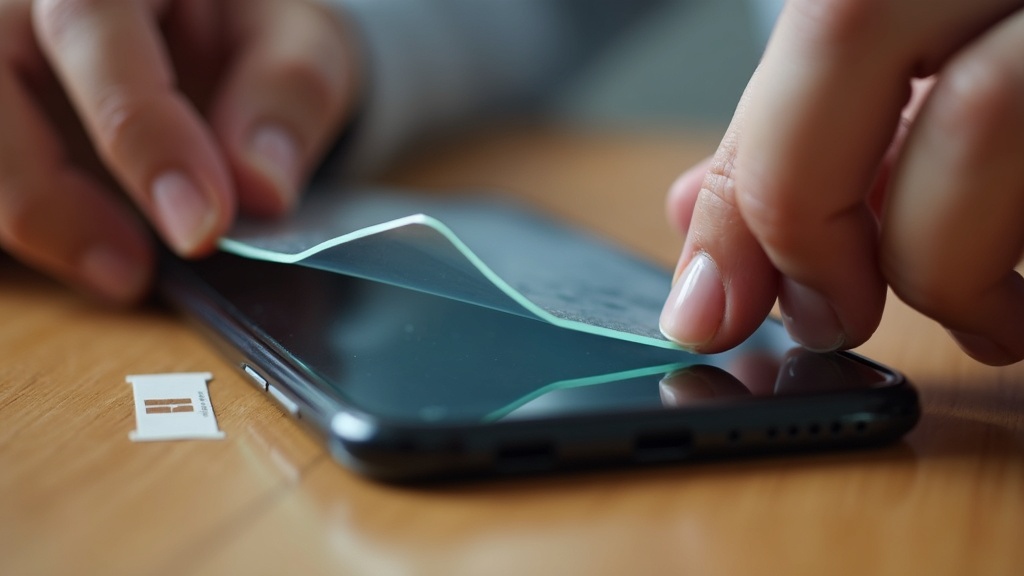
How to Choose a Screen Protector for iPhone 17e
Tempered Glass vs. TPU Film: Differences, Pros & Cons
The first decision when picking a screen protector is the material. There are two main types — tempered glass and TPU (polyurethane film) — and they behave very differently.
Tempered Glass
- High hardness — very scratch-resistant
- Touch feel and screen clarity close to the bare display
- Can shatter when impact is concentrated at a single point
- Hard to reapply — a bad install usually means starting over with a new one
TPU Film
- Flexible — conforms well to curved edges and corners
- Some have “self-healing” properties that absorb and recover from minor impacts
- Softer surface picks up fingerprints and fine scratches more easily
- Can yellow with prolonged use
If you’re worried about drops in daily use, go with TPU. If display clarity and touch responsiveness are your priority, tempered glass is the better fit.
What “9H Hardness” Actually Means — and What It Can’t Protect Against
You’ll see “9H hardness” on nearly every tempered glass product page. This doesn’t refer to the Mohs mineral hardness scale — it refers to the pencil hardness test (JIS standard), and 9H is its highest rating.
Here’s the thing: pencil hardness 9H is actually softer than asphalt or sand particles (quartz). That means it’ll protect well against the fine scratches from sand and grit in your pocket, but it won’t prevent your screen from cracking when it hits concrete. The “9H = shatterproof” myth is surprisingly common — don’t fall for it.
If preventing screen cracks from drops is your main concern, prioritizing case shock absorption is more effective than relying on a screen protector. Think of a screen protector’s job as surface scratch prevention — and choose accordingly to avoid disappointment.
Why You Should Choose a Film with an Installation Kit
One thing people often overlook when buying a screen protector is what comes in the box. Whether an installation kit is included can make a significant difference in the final result.
Use the dust removal sticker to lift any particles
Remove microscopic dust from the screen before applying. Skip this step and you’ll get bubbles.
Wipe away oils with the alcohol cleaning cloth
Fingerprints and skin oils left on the screen reduce adhesion.
Use the alignment frame to position before sticking
Misalignment is hard or impossible to fix after the fact. An alignment kit takes the guesswork out of placement.
Budget protectors without a kit might seem like a deal, but if you botch the install and need to rebuy, you’ll end up spending more in the end. Especially for first-timers, we strongly recommend choosing a protector that includes an alignment frame and a cleaning kit.
MagSafe Accessories: Benefits and What to Watch Out For
Adding “MagSafe compatible” as a filter when choosing a case dramatically expands your accessory options. The ability to snap and remove accessories instantly with a magnet eliminates a surprising number of small daily frustrations.
Combining MagSafe Wallets, Rings, and Stands: Real-World Examples
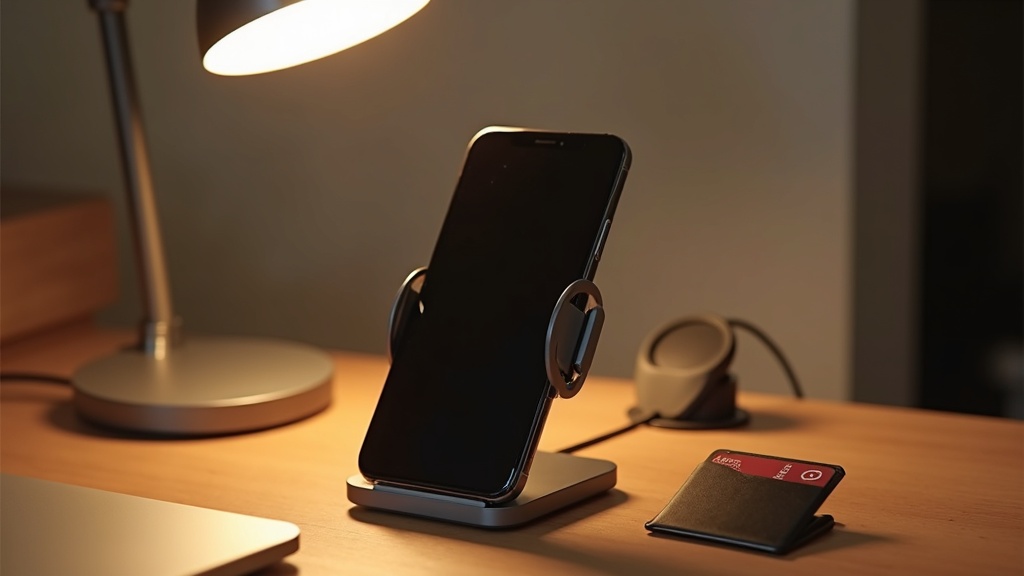
The real value of MagSafe isn’t any single accessory — it’s how they work together. Snap a wallet to the back when you head out, carry your cards all day, then pop it off in seconds when you get home and set your phone on a charging stand without removing the case. That seamless routine becomes second nature.
Popular MagSafe Combinations
- Out and about: MagSafe wallet (transit card + 1–2 credit cards) + MagSafe case
- At your desk: MagSafe stand for upright charging — no need to take the case off
- In the car: MagSafe car mount snaps on instantly and doubles as a navigation holder
Ring-style accessories typically attach directly to the case, and they may need position adjustments to coexist with MagSafe. Before buying, check whether the ring will interfere with the magnetic connection.
Using MagSafe Charging with a Non-MagSafe Case: What to Know
Technically, you can use a MagSafe charger with a non-MagSafe case — but there are a few things to keep in mind.
3 Things to Check
- Reduced charging speed: Without magnetic alignment, the charging coils can shift out of position, which reduces efficiency.
- Case thickness matters: The thicker the case, the greater the gap between coils — leading to more heat and slower charging. Cases over roughly 3mm thick are worth watching.
- Avoid metal cases: Aluminum or cases with metal plates can block MagSafe charging entirely.
If you use MagSafe charging regularly, a MagSafe-compatible case is simply the most practical choice. Pairing a non-compatible case with a MagSafe charger is possible, but treat it as a workaround rather than a reliable solution.
Final Verdict: Our Top iPhone 17e Accessory Picks
Best Pick by Use Case (Slim, Rugged, MagSafe & Screen Protector)
Here’s a summary of all 10 products we covered, organized by use case. When you’re not sure where to start, ask yourself: “How and where do I actually use my phone most?” That single question will point you in the right direction.
Final Recommendations by Use Case
- Slim & lightweight: An ultra-thin TPU or polycarbonate hard case around 0.35mm is the way to go. Best for indoor-heavy users with lower drop risk.
- Maximum drop protection: MIL-STD-810G certified hybrid cases set the reliability benchmark. A must-have if you’re often outdoors or have kids.
- MagSafe ecosystem: A Qi2-compatible case lets you use wallets, stands, and car mounts interchangeably — excellent long-term value.
- Screen protectors: Anti-glare works best in bright outdoor conditions; glossy preserves the most vibrant screen colors. Pick based on your environment.
If you want to cover multiple scenarios, a MagSafe-compatible rugged case paired with a tempered glass screen protector is the most balanced combination for most users.
FAQ: iPhone 16e Case Compatibility & MagSafe Charging Speed
Q. Can I use my iPhone 16e case on the iPhone 17e?
If the body dimensions changed between models, even minor differences in camera placement or button positions can prevent a proper fit. Always look for cases explicitly listed as “iPhone 17e compatible.” A label that says “compatible with the previous model” isn’t enough to confirm a fit.
Q. Does MagSafe charging slow down when using a non-MagSafe case?
Yes, it can. Without magnetic alignment, the charging coils may not line up perfectly, which reduces efficiency. For maximum charging speed, a MagSafe-compatible case is recommended. Removing the case entirely before charging is also an effective option.
Always check the official product page for compatible models and the latest specifications before purchasing.