
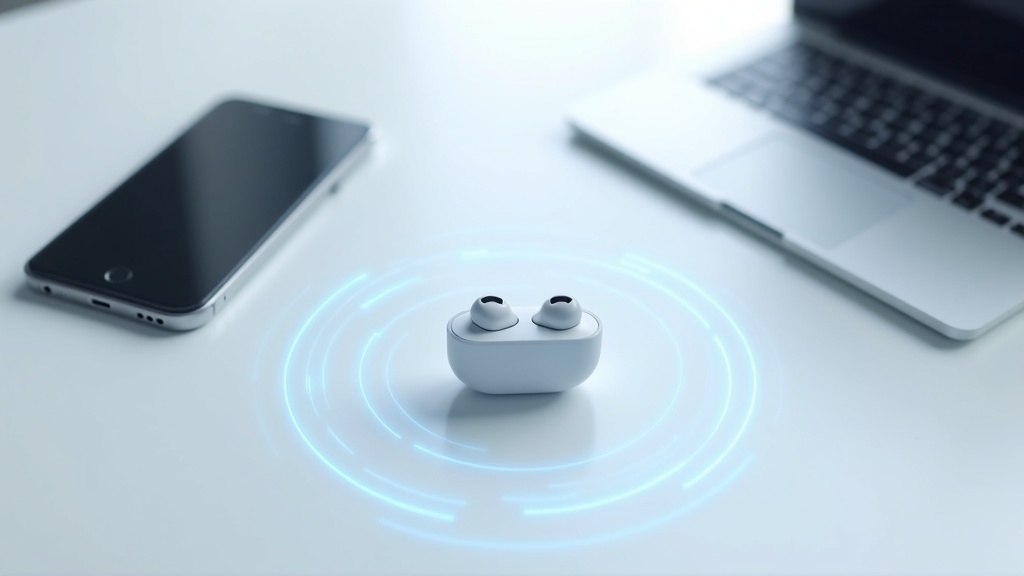
What Is Multipoint? The Basics You Need to Know
How Multipoint Connection Works — Simply Explained
You’re listening to music on your phone, and suddenly a web meeting call comes in on your PC — sound familiar? If you’ve been manually switching your Bluetooth connection every single time, multipoint is the feature that makes that hassle disappear entirely.
The concept is straightforward: a single pair of earbuds maintains simultaneous connections to 2 devices (or even 3, depending on the model). Since the earbuds automatically prioritize whichever device has active audio, you generally never need to switch manually.
How Multipoint Works in Practice
Listening to music on your phone → A call comes in on your PC → Earbuds automatically switch to the PC → After the call ends, music on your phone resumes
Multipoint vs. Multipairing: What’s the Difference?
These two terms are easy to mix up, but they serve completely different purposes.
| Term | Meaning |
|---|---|
| Multipairing | Stores connection info for multiple devices (but only connects to one at a time) |
| Multipoint | Maintains simultaneous connections to multiple devices and switches audio automatically |
Multipairing means you can reconnect to a saved device quickly — but you still have to switch. Multipoint means you don’t have to switch at all. When reading product specs, always check which one you’re actually looking at.
Use Cases for Remote Work and Working from Home
Multipoint really shines in remote work setups where you regularly juggle multiple devices throughout the day.
- Stream music from your phone while instantly picking up a Slack call on your PC
- Watch videos on your tablet without missing incoming calls on your phone
- Keep your work PC and personal phone connected at all times and switch as needed
That said, there are some caveats. Auto-switching accuracy and latency vary by product, so if you’re in a lot of meetings, pay close attention to “switching reliability” in user reviews.
How to Choose the Right Multipoint Earbuds
Now that you understand how multipoint works, the next question is: how do you find the right pair for your needs? Staring at a spec sheet can be overwhelming when you’re not sure what to prioritize. Here’s a clear breakdown of what to look for so you don’t end up with buyer’s remorse.
Number of Simultaneous Connections (2 vs. 3 Devices Changes Everything)
Most multipoint earbuds support 2 simultaneous connections, but some models can handle up to 3. This difference directly affects which use case each model fits.
Who Should Choose What: A Quick Guide by Connection Count
- 2-device connection: Best for simple phone + PC switching. Great for remote workers and students.
- 3-device connection: Ideal if you’re managing two phones (work + personal) plus a tablet or other device.
Keep in mind that more simultaneous connections means more complex internal processing, which can increase the risk of instability or audio dropouts. If you’re considering a 3-device model, be sure to check real-world reviews for connection reliability in everyday use.
Active Noise Cancellation: Do You Need It?
Multipoint and active noise cancellation (ANC) are two separate features. Plenty of multipoint earbuds don’t include ANC. If you plan to use them in cafes, on trains, or in other noisy environments, an ANC model will make a noticeable difference in comfort.
On the flip side, ANC draws more battery power. Since enabling ANC typically shortens playback time, you’ll want to weigh your environment against your priorities. If you mostly work in a quiet home office, a non-ANC model may actually offer better value for money.
- Commuting or using in public frequently → Prioritize ANC
- Mainly at home or in a quiet office → ANC may not be necessary
- Wind noise is a concern → Also check the quality of the transparency/ambient mode
Auto-Switching: Speed and Reliability Matter Most
The single biggest factor in how enjoyable multipoint feels day-to-day is how fast and reliably the earbuds switch between devices. There’s a major difference between models that automatically detect which device has active audio and switch instantly, versus those that require a manual switch.
Does it support automatic switching?
Verify whether the earbuds will automatically switch to your phone when a call comes in, even while PC audio is playing.
How long does switching take?
Under 0.5 seconds is virtually seamless in practice. Models that take several seconds may cause you to miss the beginning of a call.
Is there a companion app?
App-supported models let you fine-tune switching behavior and customize settings to your exact workflow.
Codec Support (aptX, LDAC, AAC, etc.) and Its Impact on Sound Quality
The audio quality of Bluetooth earbuds depends on the supported “codec” — the format used to compress and transmit audio data. With multipoint connections, the codec used can differ per device, meaning one device might deliver near hi-res audio while the other is limited to standard quality.
A Quick Breakdown of the Main Codecs
- SBC: The universal baseline. Works with everything, but audio quality is minimal.
- AAC: Pairs well with iPhone. More than adequate for everyday listening.
- aptX / aptX HD: Better audio quality with compatible Android devices.
- LDAC: Sony’s proprietary codec. Enables near hi-res transmission between compatible devices.
If audio quality is a priority, check which codecs your smartphone supports before buying. For most iPhone users, AAC support is all you need.
Battery Life and Charging Case Convenience
Because multipoint maintains multiple Bluetooth connections simultaneously, battery consumption tends to be slightly higher than single-device connections. Also note that most spec sheet battery figures are measured with a single connection and ANC off — real-world usage will typically fall short of the rated number.
When evaluating the charging case, look beyond just capacity. Whether it supports wireless charging (Qi) and fast charging can have a real impact on daily convenience. A quick-charge feature that provides hours of playback from just 15 minutes of charging, for example, can be a lifesaver when you’re running low.
- If you plan to use them for 8+ hours a day, aim for at least 6 hours of earbud-only playback
- Always check total playback time including the case (20–30 hours is the current standard to look for)
- Confirm USB-C charging support so you can consolidate your cable situation
Top 10 Multipoint Earbuds Recommendations [With Comparison Chart]
Once you’ve got a handle on what to look for, the real question becomes: which model actually fits how you use your earbuds? We compared 10 models across price range, simultaneous device connections, ANC, and supported codecs to break down what sets each one apart.
Top 10 Comparison Chart (Price Range, Device Connections, ANC, Codecs)
| Model | Price Range | Simultaneous Connections | ANC | Key Codecs |
|---|---|---|---|---|
| Sony WF-1000XM5 | High-end | 2 devices | ◎ | LDAC / AAC / SBC |
| Technics EAH-AZ80 | High-end | 3 devices | ◎ | LDAC / AAC / SBC |
| Jabra Elite 8 Active | Mid-to-High | 2 devices | ○ | AAC / SBC |
| Bose QC Earbuds II | High-end | 2 devices | ◎ | AAC / SBC |
| Anker Liberty 4 NC | Budget-friendly | 2 devices | ○ | LDAC / AAC / SBC |
| JBL Tour Pro 2 | Mid-to-High | 2 devices | ○ | AAC / SBC |
| EarFun Air Pro 3 | Budget-friendly | 2 devices | ○ | aptX / LDAC / AAC / SBC |
| Jabra Elite 4 | Mid-range | 2 devices | △ | AAC / SBC |
| Sony WF-C700N | Mid-range | 2 devices | ○ | AAC / SBC |
| Samsung Galaxy Buds2 Pro | Mid-to-High | 2 devices | ○ | SSC / AAC / SBC |
Prices fluctuate with market conditions, so always check the latest pricing on each retailer’s site. ◎ indicates exceptional performance, ○ means the feature is standard, and △ means the feature is present but performance is somewhat limited.
Sony WF-1000XM5 | Industry-Leading ANC with Multipoint Connectivity
The WF-1000XM5 is Sony’s flagship true wireless earbuds. Combining a proprietary noise-canceling processor with a precision microphone array, its environmental noise isolation ranks among the best of any current model. While LDAC isn’t available when paired with an iPhone, the sound quality over AAC is still excellent.
- Multipoint supports 2 simultaneous connections — seamlessly switches between phone and PC
- LDAC for high-resolution audio playback (when connected to an Android device)
- Packed with useful AI features like Speak-to-Chat
- Smaller and lighter than the previous generation for a better fit
- Limited to 2 simultaneous connections — manual switching required in 3-device setups
- High-end pricing makes it a tough sell if you’re watching your budget
If ANC performance is your top priority, this is the model that comes up first. Check the official site for full specs and the latest pricing.
If you want best-in-class noise canceling without sacrificing connection stability, check Sony’s official site for the latest pricing and full specs on the WF-1000XM5. With both strong ANC and multipoint support, it’s a versatile all-rounder that works just as well at home as it does on the go.
Technics EAH-AZ80 | High-End Model with 3-Device Simultaneous Connection
The EAH-AZ80’s standout feature is its rare ability to connect to 3 devices simultaneously — something almost unheard of in true wireless earbuds. Keep your phone, tablet, and PC all connected at once, making it a compelling choice for creators and business users who constantly switch between devices.
- 3-device simultaneous connection lets you switch between devices with minimal effort
- Supports both LDAC and AAC for high-quality audio across a wide range of devices
- Technics’ signature sonic resolution and natural sound balance
- The earbuds are on the larger side — fit can vary if you have smaller ears
- High-end pricing means it may be overkill if you don’t actually need 3-device connectivity
If 3-device simultaneous connection is a feature you genuinely need, this is essentially the only option currently on the market.
If you want both stable multipoint connectivity and excellent audio quality, be sure to check the latest pricing and full specs for the Technics EAH-AZ80. It’s worth a close look for anyone who wants to evaluate the total package — including noise canceling performance.
Jabra Elite 8 Active | Rugged Sports Performance with Multipoint
The Elite 8 Active is a tough, durability-focused model built for active use. With IP68 water and dust resistance (see the official site for full details), it stays securely in place through runs, gym sessions, and everything in between.
- High water resistance rating designed for sports and outdoor use
- ShakeGrip technology keeps the fit locked in even during intense movement
- Multipoint lets you switch devices on the fly, even mid-workout
- No hi-res codecs (LDAC or aptX) — this is designed around fit and durability, not audiophile audio
- ANC performance is a step below flagship models
If you have a specific need to use multipoint while working out, this model is a strong contender.
Want to know more about multipoint stability and water resistance specs? Check the latest pricing and availability to see if it’s the right fit for you.
Bose QuietComfort Earbuds II | Exceptional ANC with All-Day Comfort
The QC Earbuds II is Bose’s flagship model, engineered to deliver both top-tier noise canceling and long-wearing comfort. CustomTune technology automatically measures your ear canal shape at every wear, then optimizes both the ANC and sound profile accordingly.
- Automatic calibration tailored to the shape of your individual ears
- Proprietary ear tip design reduces fatigue during extended wear
- Multipoint supports 2 simultaneous connections
- No LDAC or aptX support — you won’t get the full benefit of hi-res audio files
- The case is on the bulkier side and isn’t the most pocketable option
If your goal is to create total silence — whether on a long commute or a transatlantic flight — this is a reliable choice.
For those who want both strong noise canceling and stable connectivity, check the latest pricing and full specs for the Bose QuietComfort Earbuds II.
Anker Soundcore Liberty 4 NC | ANC on a Budget
The Liberty 4 NC is one of the rare models that packs both LDAC and ANC into a sub-$100 price point. For budget-conscious buyers, the feature set here is hard to beat at this price.
- LDAC support at this price range is a major advantage
- Multipoint connectivity included
- Both ANC and ambient sound mode punch above their weight for the price
- ANC and audio quality noticeably trail high-end models
- Build quality reflects the budget price point in places
A great entry point for anyone who wants to experience multipoint and ANC without spending a lot.
If you care about both multipoint and noise canceling but don’t want to break the bank, check the latest pricing and full specs for the Anker Soundcore Liberty 4 NC. The fact that it offers LDAC and ANC together at this price makes it a standout value pick.
JBL Tour Pro 2 | Unique Smart Case Experience
The Tour Pro 2’s defining feature is its touchscreen smart case. The small display on the case lets you check notifications, control music, and change settings — all without pulling out your phone.
- Smart case touchscreen enables intuitive, at-a-glance control
- Multipoint supports 2 simultaneous connections
- The case acts as a hub, making battery management easier to track in one place
- The smart case inevitably adds bulk and weight to the overall package
- JBL’s bass-forward sound signature may not suit listeners who prefer a flat, neutral response
If the smart case concept appeals to you, this model offers an experience you simply won’t find anywhere else.
Curious about the JBL Tour Pro 2’s smart case experience — where notifications and controls are all handled from the case itself? Check the latest pricing and full specs to see if it’s the right fit.
EarFun Air Pro 3 | High-End Features at a Mid-Range Price
The Air Pro 3 supports both aptX Adaptive and LDAC at a price point in the low-to-mid range. Aptx Adaptive support at this price is a genuinely rare find for codec enthusiasts.
- aptX Adaptive delivers low-latency, high-quality audio (requires a compatible device)
- Also supports LDAC, AAC, and SBC for broad device compatibility
- Multipoint connectivity included
- The companion app is simpler and less polished than those from major brands
- ANC performance is appropriate for the price but won’t satisfy those who demand true silence
If you care about codec specs but want to keep costs down, this model is well worth considering.
Want to find the sweet spot between value and audio quality? Check the pricing and full specs to see if the EarFun Air Pro 3 fits the bill.
Jabra Elite 4 | Simple, No-Fuss Mid-Range Option
The Elite 4 keeps things straightforward — a clean, no-frills design that’s easy to use right out of the box. The intuitive controls and clear app make it an ideal first multipoint earbud for anyone new to the feature.
- Multipoint support for simple 2-device switching
- Solid build quality backed by Jabra’s proprietary durability testing
- Strong battery life for the price
- ANC performance is modest compared to higher-tier models
- No hi-res codec support
If you just want a reliable 2-device earphone that’s easy to use, this hits a solid balance of cost and usability.
Looking for the best mix of value and practicality? Check the latest pricing and full specs for the Jabra Elite 4.
Sony WF-C700N | Compact Form Factor, Full Feature Set
The WF-C700N sits in Sony’s mid-range lineup as a compact ANC model. Compared to the flagship WF-1000XM5, it’s noticeably smaller and earns praise for how comfortably it sits in the ear.
- Compact build reduces ear fatigue during long listening sessions
- Multipoint supports 2 simultaneous connections
- Full customization via Sony’s Headphones Connect app
- No LDAC support — hi-res audio benefits are limited
- ANC falls short of the XM5 — the gap is noticeable if you’ve used the flagship
A natural fit for Sony ecosystem users who prioritize a compact, comfortable form factor.
If you want solid value with both ANC and multipoint, check the latest pricing and full specs for the Sony WF-C700N. Delivering noise canceling and multipoint together at this price point makes it a standout in its class.
Samsung Galaxy Buds2 Pro | Best for Android and Galaxy Users
The Galaxy Buds2 Pro shines brightest when paired with Samsung hardware. When connected to a Galaxy device, the proprietary SSC codec kicks in for high-quality, low-latency audio.
- SSC codec delivers high-quality audio when paired with a Galaxy device
- Multipoint supports 2 simultaneous connections
- Secure, well-fitting ear tip design makes it easy to stay immersed in your music
- Functionality is significantly limited with non-Samsung devices — not recommended for iPhone users
- SSC is a Samsung-exclusive codec, so other devices won’t benefit from it
If your main phone is a Galaxy, this model makes a compelling case from an ecosystem integration standpoint. Check the official site for a full list of compatible features.

The Galaxy Buds2 Pro is especially well-regarded for multipoint connection stability when paired with Galaxy devices. Check the latest pricing and full specs to learn more.
How to Choose the Right Earbuds for Your Use Case
All 10 models covered in the previous section are excellent options, but when you look at them through the lens of “does this fit my actual use case,” the differences become significant. Here we break down what to prioritize for four common scenarios.
For Remote Work and Video Calls
Ever had your phone ring right in the middle of a video call? This is exactly where multipoint connectivity pays off the most. With your PC and smartphone connected simultaneously, you can switch seamlessly to a phone call without ever interrupting your meeting.
What to Look for in a Video Call Earbuds
- Microphone quality (does it have active noise cancellation for the mic?)
- Codec support optimized for voice calls (mSBC, LC3, etc.)
- Wearing stability (comfortable enough for long hours at a desk?)
- Ease of mute button and touch controls
For this use case, prioritize voice clarity and ease of use over music playback quality.
For Music and Video Watching
If audio quality is your priority, be aware that multipoint connectivity can directly affect it. Some models restrict the available codec to SBC when multipoint is enabled, so it’s worth checking before you buy.
Specs to Check If You Care About Sound Quality
- aptX Adaptive and/or LDAC support
- Whether high-quality codecs are available while multipoint is active
- Effectiveness of Active Noise Cancellation (ANC)
Taking a few minutes to check the manufacturer’s website or reviews for “codec limitations in multipoint mode” is the fastest way to avoid buyer’s remorse.
For Commuting and Working Out
Even if you mainly use one device while commuting or running, multipoint still comes in handy when you get home and want to instantly switch over to your PC. That said, for active use cases, fit and water resistance come first.
- IPX4 or higher water and sweat resistance
- Ear fins or wing supports to keep them in place
- Natural ambient sound mode (so you can stay aware of your surroundings)
Treat sound quality and ANC as secondary considerations, and focus on fit and durability instead.
For Budget Shoppers Under $70
There are more multipoint-capable earbuds under $70 than ever before. That said, in this price range you do have to accept some trade-offs: slower switching between devices and ANC that doesn’t quite match higher-end models.
Going in with a clear sense of what you’re willing to compromise on will keep you satisfied with your purchase.
Where Budget Earbuds Often Fall Short
- Switching response time (varies significantly between models)
- Battery life (often reduced to cut costs)
- Depth of noise cancellation
If you’re fine with “two devices connected at once” without needing perfectly seamless switching, a budget-friendly model will likely do the job. Just be sure to cross-reference the official specs with real user reviews before pulling the trigger.
Common Questions and Issues with Multipoint Connectivity
Once you start using multipoint earbuds, you’ll often hear complaints like “the audio keeps cutting out” or “it switches to the wrong device.” Multipoint is a convenient feature, but without understanding how it works, it can quickly become a source of frustration. Here’s a breakdown of common issues and how to fix them.
Why Connections Go Unstable — and How to Fix It
Most multipoint instability comes down to two things: radio interference or firmware issues. If you’re near a Wi-Fi router or a microwave, Bluetooth signals competing in the 2.4 GHz band can cause audio dropouts.
Steps to Try When Your Connection Drops
- Update your earbuds’ firmware to the latest version
- Delete all paired devices from the earbuds and re-pair from scratch
- Test at least 3–6 feet away from your Wi-Fi router
- Clear the Bluetooth cache in your smartphone’s settings
If none of that helps, try temporarily connecting to just one device. This will help you determine whether the issue is with multipoint itself or something else entirely.
Can You Use iPhone and Android at the Same Time?
Short answer: yes. Almost all multipoint earbuds support simultaneous connections between an iPhone and an Android device. Bluetooth doesn’t care what operating system you’re using. However, AAC (preferred by iPhone) and LDAC or aptX (common on Android) can’t both be active at the same time. During music playback, the codec of whichever device is playing takes priority — so if audio quality matters to you, it’s most practical to designate one device as your primary music source.
How to Stop Audio from a Second Device Interrupting Calls
Getting a notification chime from your phone blasting into your ears while you’re mid-meeting on your PC is one of the most common annoyances with multipoint setups.
Settings Tips to Prevent Interruptions
- Mute notification and media volume on your smartphone during calls
- Enable “call priority mode” in your earbuds’ companion app if available
- On Android, some devices let you disable “media audio” and “call audio” connections independently in Bluetooth settings
Some earbuds have a “call priority” feature that automatically mutes the other connected device the moment a call is detected. If you’re buying primarily for remote work, it’s worth checking whether this feature exists before you buy.
Conclusion: How to Find the Right Multipoint Earbuds for You
We’ve covered everything from how multipoint connectivity works to troubleshooting common issues. To wrap up, here’s a quick summary of how to choose by use case and the key things to check before you buy.
Final Recommendations by Budget and Use Case
Different use cases call for different priorities. Use the guide below to narrow down the right pair for your situation.
- Remote work with a focus on call quality: Look for strong mic performance and effective ANC. Since you’ll be wearing them for hours, don’t skip reading reviews about comfort.
- Frequently switching between PC and phone: Fast switching speed is key. Check whether the spec sheet mentions anything about multipoint switching latency — that’s a good sign the manufacturer has taken it seriously.
- Primarily for music and video: Prioritize sound quality and codec support (aptX, LDAC, etc.), then verify multipoint support as a secondary check.
- Testing the waters on a budget: Start with an entry-level model under $70 to get a feel for what you need, then upgrade once you know where the limitations bother you.
3 Things to Check Before You Buy
Spec sheets don’t tell the whole story. Here are three areas where buyers commonly have regrets.
Verify the exact limitations of multipoint mode in the official specs
Just because a product says “multipoint supported” doesn’t mean it works the way you’d expect. Some models only allow one active connection during music playback, or only switch during calls. Read the FAQ on the manufacturer’s website to be sure.
Check the return and exchange policy before purchasing
Fit is something you can’t judge until you try it. If you can’t test them in a store, buy from a retailer or official store with a clear return policy.
Research the brand’s track record with firmware updates
Multipoint stability is frequently improved through firmware updates. Check the product page for the release date and update history to see whether the brand has been consistently providing post-launch support.
Multipoint connectivity is shifting from a “nice to have” to a “can’t live without” feature. Use the checklist above to find the pair that fits your setup.