
What Are AI Automation Workflows? Why n8n and Dify Are Getting Noticed
Do you find yourself copying the same data into a spreadsheet every morning, or manually sorting through inquiry emails? These kinds of tasks — the ones humans really shouldn’t have to do — can largely be automated with the right combination of tools.
An AI automation workflow is a system that connects multiple apps and APIs, then automatically executes a series of steps including conditional logic, data transformation, and AI processing. Tasks that previously required engineers to write custom scripts can now be built with no-code or low-code tools.
Why Workflow Automation Tools Are Exploding in Popularity
The driving forces are the explosive growth of SaaS adoption and the practical availability of LLMs (large language models). The number of SaaS tools companies use keeps growing year over year, making the cost of syncing data between them a real challenge. At the same time, the public release of APIs from OpenAI and Anthropic has made it genuinely feasible to embed AI directly into business workflows.
Where automation delivers the most impact
- Collecting, aggregating, and distributing routine reports
- AI-powered classification of inquiries and automatic routing to the right team member
- Draft generation for social media posts and newsletters, plus approval workflows
- RAG (Retrieval-Augmented Generation) support for internal knowledge bases
3 Reasons n8n and Dify Stand Out
With established tools like Zapier and Make already in the market, there are clear reasons why n8n and Dify are capturing attention.
Even when handling sensitive information, everything can run entirely on your own servers.
You can avoid vendor lock-in while keeping costs low from day one.
Prompt management, RAG, and agent configuration come standard — no extra development needed to add AI processing to your workflows.
That said, each tool has its own strengths. Which one you choose depends entirely on what you’re trying to automate, so let’s break down the specific differences in the next section.
n8n vs. Dify: Core Overview and Fundamental Differences
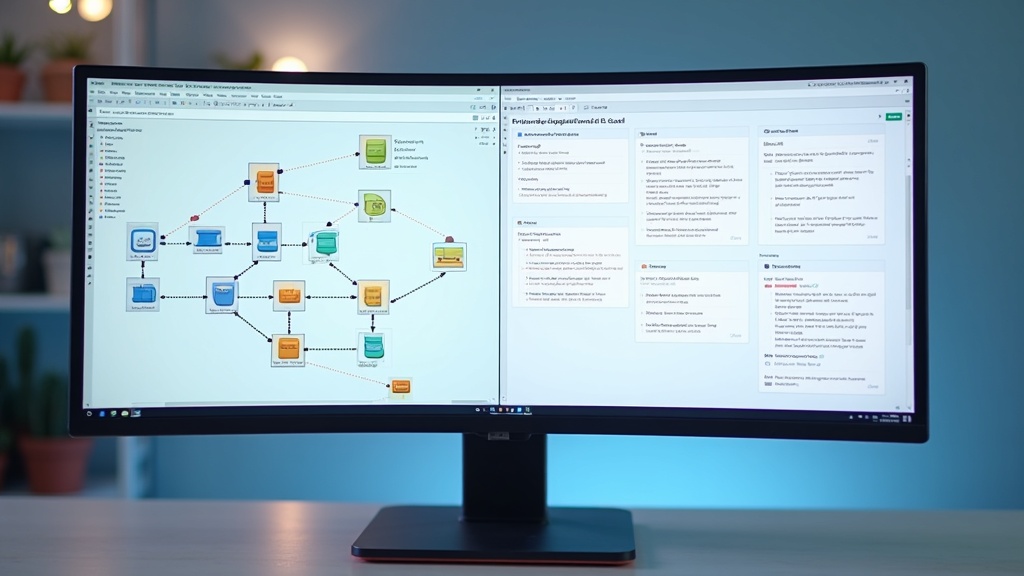
As mentioned earlier, the options for AI automation tools are expanding fast. n8n and Dify are among the most talked-about, yet many people assume they’re essentially the same thing. In reality, the design philosophy behind each tool is quite different.
What Is n8n? Key Features of a General-Purpose Workflow Automation Tool
n8n is an open-source workflow automation tool released in 2019. It’s built around a visual editor where you connect processing blocks called nodes to construct business workflows.
Key features of n8n
- Integrates with 400+ services including Slack, GitHub, and Google Sheets
- Supports both self-hosting (on your own servers) and cloud deployment
- JavaScript code nodes let you implement custom logic inline
- LLM integration is available, but was added as one feature among many — not the core focus
Compared to other automation tools like Zapier, n8n’s strength lies in its flexibility. Fine-grained control over conditional branching, loops, and error handling makes it well-suited for automating complex business processes. On the flip side, LLM-specific features like prompt management and RAG pipelines came later and weren’t part of the original design — unlike Dify, which was built for that from the ground up.
What Is Dify? Key Features of an LLM App Development Platform
Dify launched in 2023 as an application development platform built around LLMs (large language models). It’s purpose-built for creating AI apps without code — a fundamentally different starting point than n8n.
Key features of Dify
- Build RAG (Retrieval-Augmented Generation) pipelines through a visual GUI
- Switch between multiple models — GPT-4o, Claude, Gemini, and more — directly from the UI
- Quickly publish chatbots, AI agents, and text generation apps
- Built-in prompt version control and performance measurement tools
Integration with external services is more limited than n8n. Dify’s primary purpose is building things with LLMs — it’s not designed for broadly connecting to existing business systems.
The One-Line Summary: What’s Actually Different?
Here’s the deciding factor
If your goal is to connect systems, choose n8n. If your goal is to build an AI app, choose Dify.
n8n was designed as a bridge between systems, with AI serving as one processing step within a larger automation flow. Dify, on the other hand, is built on the assumption that AI itself is the core of your product.
For example, if you want to classify Slack inquiries with GPT and log them in Notion, n8n is the right fit. If you want to give your team a RAG chatbot that answers questions based on internal documents, Dify is the better choice. Getting clear on this distinction upfront will save you a lot of time when evaluating tools.
Feature, Pricing, and Difficulty Comparison
“I’m not sure which one to pick” is something we hear a lot. n8n and Dify may look similar on the surface, but they’re designed to solve different problems. Let’s lay out the key specs side by side to help you make a more informed decision.
Feature Comparison (AI Agents, Triggers, Number of Integrations)
| n8n | Dify | |
|---|---|---|
| Primary use case | General-purpose workflow automation | LLM app and RAG pipeline development |
| Number of integrations | 400+ (Slack, Gmail, Notion, etc.) | Focused on major LLM providers and knowledge bases |
| AI agent functionality | Supported via LangChain-based AI nodes | Native agent workflow support built in |
| Trigger types | Wide variety: webhooks, schedules, external app events, and more | Primarily API-triggered or launched via chat UI |
| Custom code | Write JavaScript/Python directly in code nodes | Code execution nodes available (with some limitations) |
If your focus is on integrating with external services, n8n has a clear edge. But when you need RAG over internal documents or the ability to switch between multiple LLMs, Dify requires far fewer configuration steps.
Pricing Plan Comparison (Free Tier, Self-Hosting, Cloud)
Pricing changes frequently. The information below is a general overview — always check each tool’s official site for current prices.
- n8n: The self-hosted Community Edition is free. The cloud version uses usage-based pricing tied to workflow execution count, with a Starter plan available for small-scale use.
- Dify: The cloud version includes a Sandbox plan (free) with caps on message volume and knowledge base storage. For production use, the Pro plan or higher is a more realistic option. Self-hosting via OSS is free.
If minimizing cost is the priority, Docker-based self-hosting is the practical choice for both tools. Just keep in mind that infrastructure management comes with its own overhead.
Setup Difficulty and Learning Curve Comparison
Both tools are often described as “no-code,” but there’s a real difference in how steep the learning curve actually is.
In practice: non-engineers who want to build something fast are better served by Dify, while engineers looking to automate an entire system will get more mileage out of n8n.

How to Use n8n and Workflow Examples It Excels At
Have you ever used a no-code tool and wished you had more control over customization? n8n supports both visual flow editing and code-based configuration, making it a tool that scales with your technical skill level. Let’s start by looking at your setup options.
n8n Setup Options (Cloud vs. Self-Hosted)
There are two main ways to get started with n8n. The cloud version is the easiest option, while self-hosting is better if you need to keep data in-house.
Cloud Version (n8n Cloud)
Create an account on the official website and start building workflows in your browser right away. A free trial is available (check the official site for current details). No server management required — perfect if you just want to try it out first.
Self-Hosted Version (Docker)
Run it locally with a single command: docker run -it --rm --name n8n -p 5678:5678 n8nio/n8n. For production deployments, Docker Compose or a VPS (Render and Railway are popular options) is the standard approach.
Registering Credentials
Add API keys and OAuth tokens for the services you want to connect in the Credentials panel. Once configured, they can be reused across all your workflows.
Downsides of Self-Hosting: Updates, backups, and SSL certificate management are entirely your responsibility. Make sure to factor in operational overhead and technical resources before committing to this approach.
How to Build Automated Notifications with Slack and Gmail
One of n8n’s biggest strengths is connecting multiple SaaS tools for notification and data-forwarding workflows. For example, a workflow that sends a Slack message whenever Gmail receives an email with a specific keyword can be built with just three nodes.
- Gmail Trigger node: Sets the email receive trigger. You can filter by label or sender.
- Filter node: Adds conditional branching based on keywords in the subject or body
- Slack Send Message node: Builds the channel and message using dynamic variables like
{{$json.subject}}and sends it
Data between nodes is referenced using the {{$json.fieldName}} syntax. The ability to use variable substitution without writing JavaScript feels more intuitive compared to other workflow automation tools. That said, as conditional logic grows more complex, the number of nodes increases and flows can get harder to follow — so it’s worth planning ahead to split things into sub-workflows early on.
Text Processing Workflows Using AI Nodes (OpenAI / Claude)
n8n includes dedicated nodes for calling the OpenAI and Anthropic APIs, letting you visually design workflows with LLMs built right in.
A common setup is: “Incoming support email → AI summarization → Auto-logged to Notion.”
Fetch the incoming support email with the Gmail Trigger node
Use the OpenAI Chat Model node to summarize and categorize the email body (prompt is fully customizable)
Save the AI output as a new page using the Notion Create Page node
n8n also supports AI agent functionality (LangChain-based Agent Chains), which enables complex reasoning flows that involve tool calls. However, this feature is still maturing, so thorough testing is recommended before running it in production. Check the official documentation for the latest node specifications.
How to Use Dify and AI App Examples It Excels At
Ever wanted to build an AI chatbot without writing a single line of code? Dify is an open-source platform that lets you create LLM-powered applications entirely without code. What sets it apart is that everything you need for AI app development — prompt management, RAG, and workflow design — is all available in a single interface.
Dify Setup Options (Cloud vs. Docker Self-Hosted)
Dify offers two main ways to get started. Choose the one that fits your needs.
Cloud Version (dify.ai): Ready to use the same day you sign up. Even the free plan gives you access to core features including app creation, RAG, and workflows. Since you bring your own API keys, just plug in your OpenAI or Anthropic key and you’re good to go.
Docker Self-Hosted Version: The best option when you need to keep internal data from leaving your environment. Pull the docker-compose.yml from the official GitHub repository and spin it up locally or on a VPS.
Basic Steps for Docker Self-Hosting
- Clone the official repository from GitHub
- Start the containers with
docker compose up -d - Open
localhost:80in your browser and create an admin account - Register your API key under Settings → Model Providers
If you already have Docker set up, initial configuration takes under 30 minutes. Just keep in mind that with the self-hosted version, updates and incident response are your own responsibility.
Building an Internal Q&A Bot with RAG (Retrieval-Augmented Generation)
RAG is a technique that combines an LLM’s responses with results retrieved from external documents. This allows the model to answer questions based on internal policies or product manuals it was never trained on.
Dify’s RAG feature (called “Knowledge”) automatically handles vectorization and indexing — just upload your PDFs, .txt files, Notion pages, and more. You can also fine-tune chunk size and retrieval methods (semantic search or hybrid search) directly from the UI.
Internal Q&A Bot Build Overview
- Upload your employee handbook, FAQs, and manuals to “Knowledge”
- Create a new app (chatbot) and link the Knowledge base as context
- Set a system prompt restricting responses to information from the Knowledge base only
- Embed it into Slack or your intranet via the embed widget or API
One thing to watch out for: the quality of your Knowledge base heavily depends on how well-structured the source documents are. Tabular data and text inside images tend to produce lower accuracy, so it’s best to convert them to plain text beforehand.
How to Handle Multi-Step Processing with Dify’s Workflow Feature
When a simple chatbot isn’t enough and you need multi-step logic — like “receive input → search → evaluate → generate a response” — Dify’s workflow feature is where it shines.
Workflows are built in a visual node editor. Here are the main node types available:
- LLM node: Generates text based on a specified prompt and model
- Knowledge Retrieval node: Searches documents via RAG
- Conditional Branch (IF/ELSE) node: Branches the flow based on the output of a previous step
- Code node: Adds custom logic in Python or JavaScript
- HTTP Request node: Sends requests to external APIs
When to Use Dify vs. n8n: Dify’s workflows are optimized for flows centered around LLM processing. If your main goal is data integration between business systems or scheduled execution, n8n offers more flexibility. The two tools are more complementary than competitive.
Once a workflow is complete, it can be published as an API endpoint, minimizing the code needed to integrate it into existing web apps or Slack bots. Check the official documentation for detailed configuration options.
How to Choose Based on Your Goal and Skill Level
Have you ever wasted time testing both n8n and Dify without a clear answer to “which one should I actually use?” The choice becomes much clearer when you frame it around two questions: “What do I want to automate?” and “How much do I need LLMs involved?”
Why n8n Is the Better Choice for Connecting Existing SaaS Tools
If your goal is to move data between tools you’re already using — Slack, Notion, Google Sheets, HubSpot — n8n is the right call. With 400+ integrations available, many services can be connected just by entering an API key.
Use Cases Where n8n Really Shines
- Form submission → CRM entry → Slack notification pipeline
- Scheduled spreadsheet aggregation and report delivery
- Auto-syncing e-commerce order data to inventory management tools
- Webhook-triggered bulk updates across multiple services
JavaScript code nodes give you flexible data transformation, and engineers can typically migrate existing workflows with minimal changes. On the flip side, building complex conditional logic without code can make flows unwieldy — something worth keeping in mind.
Why Dify Is the Better Choice for Building LLM Apps Quickly
If you want to get a chatbot or RAG-based internal Q&A system up and running as fast as possible, Dify is the way to go. Prompt design, model switching, and knowledge base management all happen in the GUI, dramatically cutting down the time it takes to implement LLM features.
Use Cases Where Dify Really Shines
- RAG chatbot trained on internal documents
- Multi-step AI agents with complex reasoning
- Iterative prompt A/B testing and accuracy improvement
- Exposing an LLM app as an API for external services
That said, Dify doesn’t offer the same depth of third-party SaaS integrations as n8n. For use cases like “send LLM output to Slack,” you may need to implement the API call yourself.
The Hybrid Approach: Using Both Tools Together
For real-world automation, a split like “n8n handles data retrieval and transformation, Dify handles LLM analysis and generation” can be highly effective. For example, a setup where n8n pulls customer data from a CRM, passes it to the Dify API for summarization and classification, and then writes the results back to Slack or a spreadsheet plays to the strengths of both tools naturally.
Tool Selection Checklist
- Connecting SaaS tools without LLMs → n8n only
- Building a self-contained LLM app → Dify only
- Need both data integration and LLM processing → Hybrid setup
- Frequent prompt iteration and tuning → Dify recommended (easier GUI management)
- Complex conditional logic and scheduling → n8n recommended
Both tools are free to try in their self-hosted versions. The fastest way to make a decision is to build a small proof of concept that matches your use case and see how it feels firsthand.

In Practice: Real-World AI Automation Workflows with n8n + Dify
Many people hit a wall at the stage of “I’ve decided which tool to use — but what should I actually build?” Here are two representative scenarios using both tools together, with step-by-step breakdowns of how each is built.
Building an Automated Email Summary + Slack Notification Flow
Automatically summarizing incoming emails and posting them to Slack is the perfect first project for learning how n8n and Dify work together. n8n handles the plumbing — triggers and notifications — while Dify’s API takes care of the summarization. It’s a clean division of labor.
Build Steps
- Set up a Gmail (or Outlook) node in n8n to poll for unread emails on a schedule (e.g., every 15 minutes)
- Use an HTTP Request node to call Dify’s Chat API endpoint, passing the email body as the prompt
- On the Dify side, create an app in advance with a fixed system prompt like “Summarize in 3 bullet points or fewer”
- Use n8n’s Slack node to format Dify’s response and post it to the designated channel
One of the advantages of this setup is that you can compare summarization quality simply by switching Dify’s model from GPT-4o to Claude 3.5 Sonnet — no changes needed on the n8n side at all.
Web Scraping → LLM Summarization → Spreadsheet Storage
This setup is ideal for tracking competitor site updates or automatically clipping news articles. The scraping itself can be handled by n8n’s HTTP node or Cheerio node.
Full Flow Overview
- n8n (Fetch): A Schedule trigger iterates through a list of URLs, fetching and extracting the body text from each
- Dify (Analyze): Calls a workflow-type app that returns both a category classification and a 100-character summary in one shot
- n8n (Save): Uses the Google Sheets node to append the date, URL, and summary to a spreadsheet
Using Dify’s workflow feature, you can define the entire classification → summarization → formatting pipeline as a single flow. On the n8n side, you simply treat Dify as a “black-box API endpoint,” which means prompt improvements can be made entirely within Dify — no changes to n8n required.
Common Pitfalls and How to Handle Them
Once you start building, you’ll inevitably run into issues that aren’t covered in the documentation. Here’s a summary of the most common ones upfront.
Common Issues and Fixes
- Dify API Key Authentication Error
- When setting the
Authorization: Bearer {API key}header in n8n’s HTTP node, it’s easy to accidentally omit the space between “Bearer” and the key value. Also check for invisible characters that may have been pasted in. - JSON Parsing Failure on Response
- Dify’s Chat API supports both streaming and blocking modes. When using it with n8n, explicitly specify blocking mode (
response_mode: blocking). - Getting Blocked by Scraping Target Sites
- Sending too many requests in a short period will trigger bot detection. In many cases, simply adding a Wait node in n8n with a 1–3 second interval is enough to get through.
Since n8n’s execution logs show input and output at the node level, pinpointing where data gets corrupted is relatively straightforward. When an error occurs, make it a habit to open the “Input/Output” tab in the logs first and visually confirm what values are actually being sent to Dify.
Summary: Choosing Between n8n and Dify
We’ve compared the characteristics of n8n and Dify throughout this article, but there’s no single “right answer” to which one is better. That’s because the problems each tool is designed to solve are fundamentally different.
n8n excels at “connecting things together,” while Dify excels at “directing how AI thinks.” That one sentence covers 90% of the decision.
Use This Decision Flowchart to Find Your Fit
Choose n8n when:
- Your primary goal is integrating with existing SaaS tools like Slack or Notion
- You want to build scheduled or event-driven automation batch processes
- You need to self-host and keep data under your own control
- You want to implement complex branching logic without writing code
Choose Dify when:
- Your goal is advanced LLM use cases like RAG or AI agents
- You want to quickly deploy a chatbot or AI assistant
- You need to manage and version prompts at an organizational level
- You want to move fast through AI app development cycles
As shown in the previous section, both tools can be connected via HTTP requests. The practical approach is to start with one tool on its own, then bring in the other when you need what it does best.
Free Plans to Try First and How to Get Started
STEP 1
Pick one specific goal: Define a single, concrete use case — for example, “I want to automatically save Gmail attachments to Google Drive”
STEP 2
Validate with the cloud version: Create a free account on n8n.io or Dify.ai — both offer free tiers to get started
STEP 3
Move to self-hosting for production: Set up with Docker and bring your cloud-built workflows with you — they transfer directly
Free plans have limits on execution counts and API call volumes. Always check the latest restrictions on each tool’s official site before moving to production.
You’ll get up to speed far faster by building something small and learning from it than by spending time agonizing over which tool to pick. Start with the free plan of whichever one fits your immediate need and solve a real problem with it.