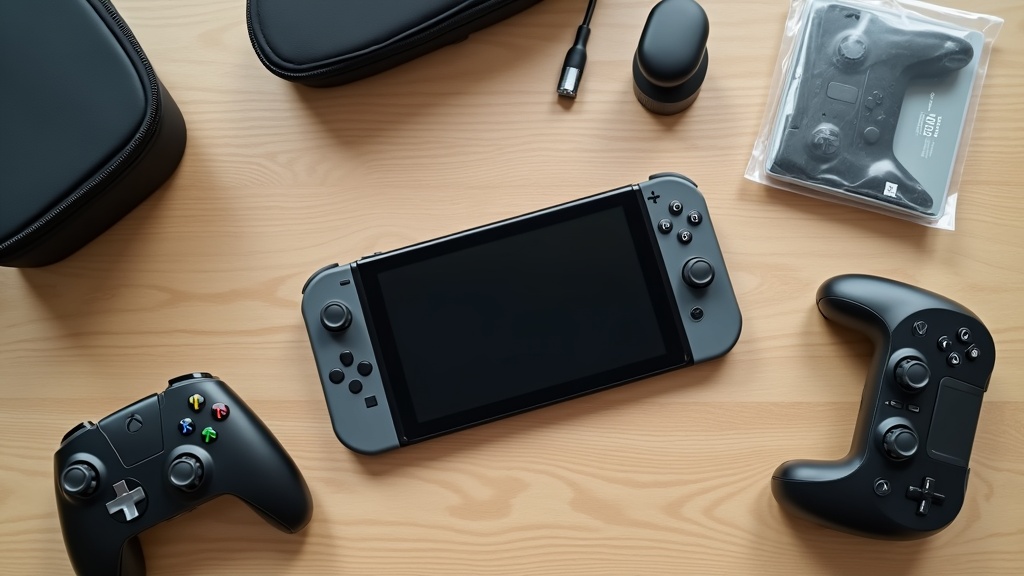
What You Need to Know Before Buying Nintendo Switch 2 Accessories
Have you ever tried to reuse a case or screen protector from your original Switch, only to find it doesn’t fit? Since the Switch 2 has a larger body and several updated specs, it’s essential to understand compatibility and the new hardware changes before shopping for accessories.
Can You Use Old Switch Accessories? A Compatibility Check
The short answer: most accessories designed for the original Switch won’t work with the Switch 2. The console is noticeably larger, so hard cases and screen protectors won’t fit, and the Joy-Con grip shape has also changed.
Key Compatibility Issues to Watch Out For
- Hard cases and carrying cases: Not compatible due to the larger body size
- Screen protectors: New purchase required — screen size and shape have changed
- Original Joy-Con: Cannot slide onto the Switch 2 (wireless connection still works)
- HDMI cables and USB-C charging cables: Generally compatible and reusable
Soft pouches with extra room might still fit, but they won’t offer the same level of protection as Switch 2-specific designs. We recommend planning to replace your accessories rather than trying to make old ones work.
Switch 2 New Specs: Joy-Con Changes, Screen Size, and Ports at a Glance
Let’s break down the key spec changes that directly affect accessory compatibility.
Switch 2 Key Specs (Accessory-Relevant)
- Screen size: Approx. 7.9 inches (up from 6.2 inches on the original Switch)
- Joy-Con connection: Changed from slide-rail to magnetic attachment
- Charging port: USB-C (retained from previous model)
- Body size: Larger than the original Switch (see official site for exact dimensions)
The switch to magnetic Joy-Con attachment has a significant impact on grip accessories. Joy-Con covers and grips made for the original Switch won’t fit the new design, so always look for products explicitly labeled as Switch 2 compatible.
3 Key Factors for Choosing Nintendo Switch 2 Accessories
As we covered above, many original Switch accessories won’t work with the Switch 2. Before making any purchase, here are three criteria to keep in mind.
Why “Switch 2 Compatible” Labeling Should Be Your First Priority
The Switch 2 differs from its predecessor in body size, Joy-Con attachment method, and screen size. Cases and screen protectors built for the original Switch simply won’t fit, and some Joy-Con grips may not attach at all.
Heads up: Products labeled only as “Nintendo Switch compatible” do not guarantee compatibility with the Switch 2. Always confirm the listing specifically says “Nintendo Switch 2 compatible” or “Compatible with Switch 2 / Switch” before purchasing.
Third-party products can be slow to update their compatibility information, so it’s a good habit to check the manufacturer’s official website or the latest product page details before buying.
If you want a wired connection experience at a more affordable price than the official controller, check the HORI official page for the latest pricing and specs.
Choosing by Use Case: Home, Commute, or Travel — Priorities Change
The right accessories depend heavily on where you plan to use your Switch 2. Shopping without a specific use case in mind often means paying for features you’ll never use.
- Primarily at home: Focus on a quality pro controller and dock. This directly reduces fatigue during long gaming sessions.
- Commuting or daily carry: Start with a shockproof case and screen protector. Protecting the console comes first.
- Travel or extended trips: Charging options will be limited, so make sure your accessories are compatible with a high-capacity portable battery.
Trying to cover all three scenarios at once gets expensive fast. The practical approach is to identify your primary use case first, then build out your accessory setup from there.
Official vs. Third-Party Accessories: Differences and How to Choose
“You can’t go wrong with first-party” is true, but that doesn’t mean official accessories are the best choice for every situation. Understanding the tradeoffs will help you spend smarter.
| Official Accessories | Third-Party Accessories | |
|---|---|---|
| Compatibility | Guaranteed | Needs verification |
| Price | Higher | Wide range |
| Quality consistency | Reliable | Varies by brand |
| Variety of options | Limited | Extensive |
For items like pro controllers where precision directly affects your gameplay, sticking with official products is the safer bet. On the other hand, for accessories where durability and portability matter more than precision — like cases and charging cables — a reputable third-party option is often more than sufficient.
【Controller Category】Top 2 Picks Compared
Building on the “choose based on your use case” approach from the previous section, the first decision you’ll face when picking a controller is official vs. third-party. The price difference is significant, so it’s important to base your decision on how you actually play.
Nintendo Switch 2 Pro Controller: Peace of Mind and Full Feature Support from the Official Option
If you want to take full advantage of Switch 2-exclusive features (HD Rumble 2, improved gyro accuracy, etc.), the official Pro Controller is the clear choice. Firmware update support and long-term reliability are added bonuses.
It supports both wired and Bluetooth connections, so for long sessions you can switch to a cable and play without worrying about input lag. It’s especially well-suited for genres like RPGs and long-form adventure games where you’re playing for hours at a stretch.
Downsides: The price is on the higher end. To be honest, there are third-party options that deliver a comparable feel at a lower cost, so if budget is your top priority, the value proposition here isn’t the strongest.
If you’re curious about performance specs or battery life during long sessions, check the official site for full specs and current pricing.
HORI Controller: The Go-To for Value and Wired Connection Stability
In genres like fighting games and rhythm games where input consistency directly affects your results, HORI’s wired-only controllers really shine. Near-zero input lag is a meaningful advantage in competitive play.
- Fighting games & rhythm games → HORI wired model
- RPGs, adventure games & long sessions → Official Pro Controller
- Gaming on the go → Joy-Con or a compact wireless model
Downsides: Many models omit or scale back rumble and gyro features, so if you’re playing titles that rely heavily on Switch 2’s haptic feedback, you may find them lacking. Be sure to check the feature specs on the official site before buying.
【Case & Bag Category】Top 2 Picks Compared
Once you’ve sorted out your controller, the next question is how to carry everything around. The Switch 2 is physically larger than the original, so many older cases simply won’t fit — you’ll need to look at options made specifically for the new model.
First thing to check when choosing a case
The Switch 2 is larger than the original Switch. Always confirm that the case is labeled “Nintendo Switch 2 compatible” before buying. Using a case designed for the original can mean the console won’t fit at all — or worse, forcing it in could scratch the system.
Nintendo Switch 2 Carrying Case (Official Nintendo): A Perfect Fit, as You’d Expect
Nintendo designed this carrying case around the exact dimensions of the Switch 2, so it holds the console snugly without any rattling. Being able to store it with the Joy-Cons attached is a practical touch that saves you the hassle of removing them every time.
On the flip side, the card slots and accessory pockets are kept to the bare minimum, so if you want to carry a charger or Pro Controller alongside the console, you may find the storage a bit tight. It’s really designed for one specific purpose: safely transporting the console itself.
Best for:
- Anyone who prioritizes official quality and a perfect fit
- Those who just need to carry the console — nothing more
- People who keep accessories in a separate bag
If a precise, secure fit is what you’re after, check Nintendo’s official site for the full lineup and details.
tomtoc Semi-Hard Case: High-Capacity Storage with Shoulder Strap Support for Life on the Go
tomtoc has a strong track record with Switch cases, and their Switch 2-compatible models continue that tradition. The semi-hard shell provides solid drop protection, while features like game card slots, accessory pockets, and shoulder strap compatibility make it a well-rounded option built for travel.
The tradeoff is that all that storage capacity comes with extra weight and bulk. On days when you want to travel light, it might feel like overkill. That said, if you regularly commute by train or bus, or frequently bring your Switch to a friend’s place, this case will genuinely earn its keep. Check the official site or retailer listing for full specs and current pricing.
Best for:
- Anyone who wants to pack their Pro Controller and cables in the same case
- Regular commuters on trains or buses
- Those who want solid protection against drops and pressure
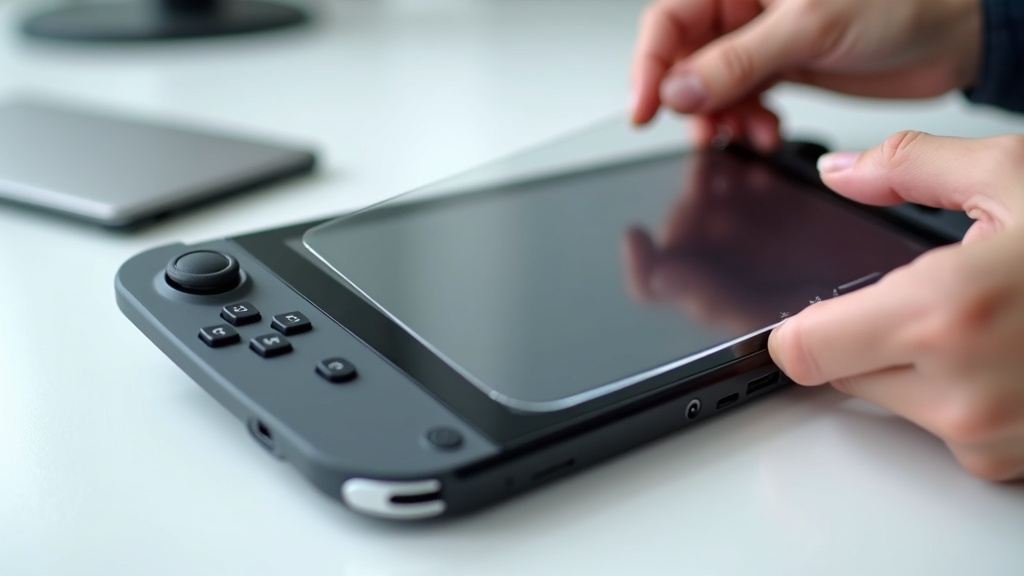
If peace of mind while carrying is your priority, check Amazon for pricing and full specs.
[Screen Protector Category] Top 2 Picks and Comparison
The Switch 2’s screen has grown to approximately 7.9 inches — a significant upgrade from the previous generation’s roughly 6.2-inch display. The larger the screen, the greater the risk of scratches and cracks. Since your choice of screen protector can make a real difference in day-to-day usability, let’s start with picking the right material.
Tempered Glass vs. PET Film: Pros and Cons of Each
Screen protectors generally fall into two categories: tempered glass and PET film. Understanding the strengths and weaknesses of each makes it easier to find the right fit for your needs.
Tempered Glass: Key Characteristics
- High hardness — holds up well against contact with keys, coins, and similar objects
- Smooth surface feel that closely mimics the touch experience of bare glass
- Slightly thicker, which may cause it to stick out when a case is attached
- Generally priced higher than PET film options
PET Film: Key Characteristics
- Thin and lightweight — less likely to interfere with cases
- More affordable, making it a good choice if you replace protectors frequently
- Lower hardness than glass — more vulnerable to deep scratches
- Some variants are prone to air bubbles during application
If you’re frequently on the go and your Switch often rubs against other items inside a bag, tempered glass gives you better peace of mind. On the other hand, if you primarily play at home in a stationary setup, a PET film protector offers more than adequate protection.
Nintendo Switch 2 Screen Protector (Official Nintendo): What Makes It Stand Out
The official Nintendo screen protector is designed specifically for the Switch 2, and that precision fit is its biggest advantage. The cutouts for the camera and sensors align perfectly with the hardware — something third-party products can’t always guarantee. That level of compatibility is genuinely reassuring.
Pros and Cons of the Official Protector
✅ Precision-fit design built specifically for the Switch 2
✅ Comes with an alignment guide — beginner-friendly application
❌ Tends to cost more than third-party alternatives
❌ Limited options in terms of hardness and material type
If your top priority is avoiding mistakes during installation and eliminating compatibility concerns, the official protector should be your first choice. Check the Nintendo official website for full specs and current pricing.
The official Nintendo protector is engineered specifically for the Switch 2, so it fits the screen dimensions perfectly — a major plus for anyone who wants a worry-free setup. If you’re interested, be sure to check the official listing for the latest details and pricing.
Nintendo Switch 2 Screen Protector (Official Nintendo)
Spigen Tempered Glass Protector: Why It’s a Fan Favorite for Easy Application and Durability
Spigen has built a strong reputation in the smartphone accessory market, and their Switch 2 tempered glass protector lives up to that track record. Many models include an alignment installation frame, making it much easier to get a perfect, bubble-free fit — even if you’ve been nervous about applying glass protectors before.
What Makes the Spigen Glass Protector Worth Considering
- Includes an alignment frame for accurate, hassle-free placement
- Select models feature oleophobic coating to reduce fingerprint smudging
- Strong balance of value and quality — many buyers come back for repeat purchases
That said, the precision of the camera cutout for the Switch 2 can vary depending on the production lot. It’s worth checking the latest reviews before purchasing.
If Spigen’s tempered glass protector is on your radar, check Amazon for current pricing and availability. It’s consistently well-reviewed for combining easy application with solid impact resistance.
【Other Useful Accessories】Top 2 Picks
Once your screen is protected, it’s time to think about comfort. A stand and Joy-Con grip attachment may seem like minor additions, but they make a real difference in tabletop play stability and fatigue during long sessions. These two accessories offer great value for the price — and if you’ve been putting them off, they’re worth a closer look.
HORI Compact Stand: A Simple Upgrade for More Comfortable Tabletop Play
The Switch 2 has a built-in kickstand, but its limited angle adjustment can be a drawback in certain situations. The HORI Compact Stand is Nintendo officially licensed, which means the contact points are precisely designed to hold your console securely while letting you fine-tune the viewing angle.
Great for these situations
- Playing with multiple people in tabletop mode
- Watching videos or gaming while charging
- When the built-in kickstand angle just isn’t steep enough
Note: While the stand adds great stability for tabletop play, it can be a bit bulky to carry around. It’s best suited for a dedicated home setup rather than on-the-go use.
If you’re looking for a compact yet stable stand that works in both portrait and landscape orientation with the Switch 2, check HORI’s official page for exact dimensions and supported viewing angles.
Joy-Con Grip Attachment: Ergonomic Design That Reduces Fatigue During Long Play Sessions
The Joy-Con’s slim profile is part of its appeal, but for adults with average or larger hands, extended grip sessions can cause strain at the base of the fingers. A grip attachment increases the contact area with your palm and helps distribute pressure more evenly.
What to look for when choosing one
- Make sure it’s compatible with Switch 2 Joy-Con size (many original Switch grips don’t fit)
- Understand the difference between charging grips and non-charging ones (non-charging options tend to be cheaper)
- Material matters — TPU and silicone options vary in grip and slip resistance
One downside to keep in mind: once attached, the Joy-Con may no longer fit into slim carrying pouches. Think of it as a home-use accessory and you’ll get the most out of it without any hassle. Check the product listing or official page for pricing and compatibility details.
If hand fatigue during long sessions is a concern, check the availability and pricing of compatible grip attachments.
Nintendo Switch 2 Best Accessories: Full Comparison Table of All 8 Picks
Here’s a side-by-side overview of every product covered in this guide. We’ve organized them by category, price range, whether they’re official or third-party, and who they’re best suited for. Use this as a final reference before making your purchase.
| Product Category | Type | Price Range | Official / Third-Party | Best For |
|---|---|---|---|---|
| Nintendo Switch 2 Pro Controller | Controller | High | Official | Those who prioritize the best possible control experience |
| Third-Party Wireless Controller | Controller | Mid–High | Third-Party | Budget-conscious players who need multiple controllers |
| Official Carrying Case | Case | Mid | Official | Those who want a guaranteed perfect fit and build quality |
| Large Hard Case (Third-Party) | Case | Mid | Third-Party | Those who want to carry accessories all in one bag |
| Tempered Glass Screen Protector (9H) | Screen Protector | Low–Mid | Third-Party | Those focused on protecting against scratches and impacts |
| Anti-Glare Screen Protector | Screen Protector | Low–Mid | Third-Party | Those bothered by glare outdoors or under bright lights |
| Adjustable Desktop Stand | Stand | Low–Mid | Third-Party | Those who frequently use tabletop mode at home |
| Joy-Con Grip Attachment | Grip | Low | Third-Party | Those who find handheld mode uncomfortable over time |
※Price ranges reflect general market trends. Please check each retailer or official site for the latest pricing.
Recommended Combos by Use Case: Minimal, On-the-Go, and Full Setup
Still wondering exactly what to buy? Here are three ready-made combinations based on how you play. Pick the one that best matches your lifestyle and budget.
【Minimal Setup】For those who just want the essentials
- Tempered glass screen protector (screen protection is a must from day one)
- Official carrying case (your baseline for safely transporting the console)
Just two additions. Perfect for those who want to keep things simple or take it slow before committing to more accessories.
【On-the-Go Setup】For commuters and travelers who game heavily outside
- Anti-glare screen protector (cuts reflections outdoors)
- Large hard case (keeps everything organized in one place)
- Grip attachment (reduces hand fatigue during long handheld sessions)
If you play on the go regularly, the combination of a hard case and grip attachment will dramatically improve your experience.
【Full Setup】For those who want maximum comfort at home and on the go
- Tempered glass screen protector
- Large hard case
- Nintendo Switch 2 Pro Controller
- Desktop stand (stable setup beyond TV mode)
- Grip attachment
It costs more upfront, but the full setup eliminates every “I wish I had…” moment no matter how you play. Build it out in priority order: screen protector → case → Pro Controller.
Final Thoughts: How to Choose Nintendo Switch 2 Accessories
If you looked at the comparison chart and still thought “so where do I even start?” — you’re not alone. With so many accessories out there, buying in the wrong order can easily lead to regrets and repurchases. Here’s a breakdown of the three things you should grab right after unboxing your console.
Start With These 3: Screen Protector, Case, and Pro Controller — In That Order
Once you have the console in hand, your first priority should be protection. No matter how great your game library is, a scratched screen or damaged connector can’t be undone.
Right out of the box, that display is completely exposed. Tempered glass protectors are notoriously difficult to reapply, so your first pick matters. Stick with Nintendo’s official option or a product confirmed compatible with the Switch 2.
If you only play at home, you can skip this for now — but if you commute, travel, or take it to school, buy a case at the same time as the console. Popular cases tend to sell out fast, and hunting one down later is a hassle.
The Joy-Cons handle plenty of games just fine, but if you’re deep into action games or RPGs for hours at a time, the difference in wrist strain is real. Adding this one later when your budget allows is a perfectly reasonable approach.
Always Check the Official Site for Stock, Pricing, and Compatibility Before Buying
Heads up: Demand for Nintendo Switch 2 has been high since launch, and accessory prices and availability can shift significantly over time. The information in this article reflects conditions at the time of writing. Before purchasing, always check Nintendo’s official site and each manufacturer’s product page to confirm “Nintendo Switch 2 Compatible” labeling and current pricing.
Third-party products in particular can be tricky — “original Switch compatible” and “Switch 2 compatible” items are often sold side by side. Since there are differences in form factor, connector standards, and software integration, missing that compatibility label is an easy mistake to make. Your safest bet is to start from the accessories section on Nintendo’s official site and work from there.