Best 4K HDR Projectors Under $1,000 | Top 3 Picks at a Glance
If you’re not sure which projector to buy, here’s the short answer first. The editorial team has handpicked three models for different use cases. We’re giving you the full picture — pros and cons — so you don’t end up with buyer’s remorse.
How these 3 models stack up
- Best value: Optoma UHD38 (strong brightness and gaming performance)
- Best smart features: XGIMI Horizon Pro 4K (easiest setup, minimal hassle)
- Best image quality: Epson EH-TW7000 (for those who want natural, accurate color reproduction)
Best Value Pick | Optoma UHD38
This DLP projector delivers 4,000 lumens of brightness — enough to hold up in lit rooms — combined with native 4K (3840×2160) resolution. With HDR10 support, it’s a practical choice even for daytime viewing in a living room.
Pros
- 4,000 lumens handles ambient light well
- Low-latency mode makes it gaming-ready
- DLP technology delivers sharp contrast
Cons
- No built-in smart TV — requires an external streaming device
- Fan noise is on the louder side according to some users
Prices fluctuate, so check the latest pricing on the official website or your preferred retailer before purchasing.
Best Smart Features | XGIMI Horizon Pro 4K
With Android TV built in, you’re streaming Netflix and YouTube the moment you power it on. Its Intelligent Screen Adaptation (ISA) technology handles automatic keystone correction and autofocus, so the image snaps into place with minimal manual adjustment — ideal if you want a simple, fuss-free setup.
Pros
- Built-in Android TV means instant streaming access
- Auto-correction features make setup a breeze
- Built-in Harman Kardon speakers
Cons
- Lower brightness than the UHD38 — best used in a darkened room
- Price can occasionally exceed budget depending on the season — verify before buying
Best Image Quality | Epson EH-TW7000
The 3LCD panel delivers natural, lifelike color reproduction, excelling at skin tones and landscape scenes. One important caveat: this model does not use native 4K. Instead, it uses Epson’s proprietary “4K Enhancement Technology,” which shifts pixels at high speed to simulate 4K-level detail. Make sure you understand this before purchasing.
Pros
- 3LCD panel produces accurate, natural colors with minimal blown-out highlights
- Backed by Epson’s proven long-term support and reliability
Cons
- Not native 4K — uses pixel-shift 4K enhancement technology
- Larger chassis requires more room and limits placement flexibility
Always verify full specs and current pricing on the official website or authorized retailers. The next section dives deeper into the selection criteria behind all 7 recommended models, including these three.
What’s the Difference Between “4K Compatible” and “Native 4K”?
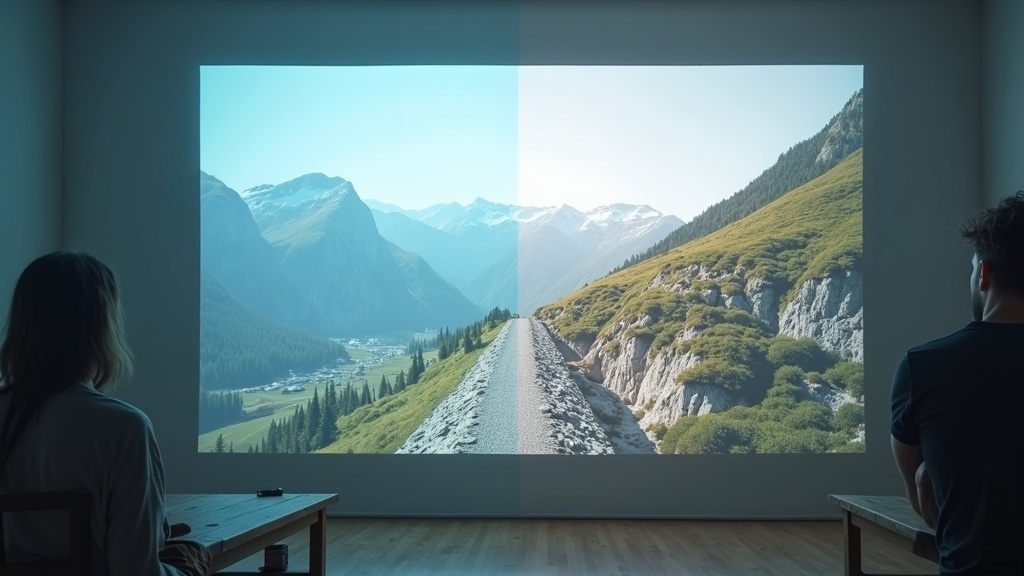
Just because a projector’s spec sheet says “4K compatible” doesn’t mean the image sensor itself is actually 4K. Buying without understanding this distinction is one of the most common reasons buyers feel let down by the image quality.
Native 4K vs. Pixel-Shift 4K
Native 4K means the imaging element physically contains 3840×2160 pixels. Pixel-shift 4K, which is the technology used in most projectors in this price range, works differently: a Full HD or 2K-class chip vibrates at high speed to create the appearance of 4K-level resolution.
What pixel-shift actually means
- Image sensor: typically Full HD (1920×1080) or 2K-class
- Output resolution: displayed as 4K equivalent (3840×2160)
- Difference vs. native 4K: most noticeable with fine text and still images; the gap is smaller with video content
Realistically, native 4K projectors under budget simply don’t exist at this price point. Going in with the understanding that pixel-shift is the norm here is key to making a smart choice.
HDR10, HLG, and Dolby Vision — What Each One Means for You
HDR comes in several formats, and which ones a projector supports determines the range of content you can watch at its best.
Major HDR formats compared
- HDR10: The most widely adopted open standard. Supported by the majority of Netflix and Amazon Prime Video content. Uses static metadata.
- HLG (Hybrid Log-Gamma): Co-developed by NHK and the BBC for broadcast use. Required for receiving 4K broadcast content.
- Dolby Vision: Uses dynamic metadata to adjust brightness scene by scene. Requires a licensing fee, so fewer devices support it.
In this price range, HDR10 and HLG support are standard. Dolby Vision-compatible models are rare. If you mainly watch Netflix and Amazon Prime Video, HDR10 is sufficient — but if you also want to receive 4K broadcasts, make sure the projector supports HLG.
5 Things to Check Before You Buy (and Avoid Regrets)
Bought a projector based on specs alone and discovered it didn’t fit the room? Image washed out in daylight? Here are five key factors to verify before purchasing so you don’t end up in that situation.
How to Match Your Room Size to the Right Throw Ratio
Throw ratio is calculated as projection distance ÷ screen width, and it tells you how far back a projector needs to be placed to fill a given screen size. For example, a projector with a throw ratio of 1.5 needs about 3.3 meters of distance to fill a 100-inch screen (roughly 2.2 meters wide).
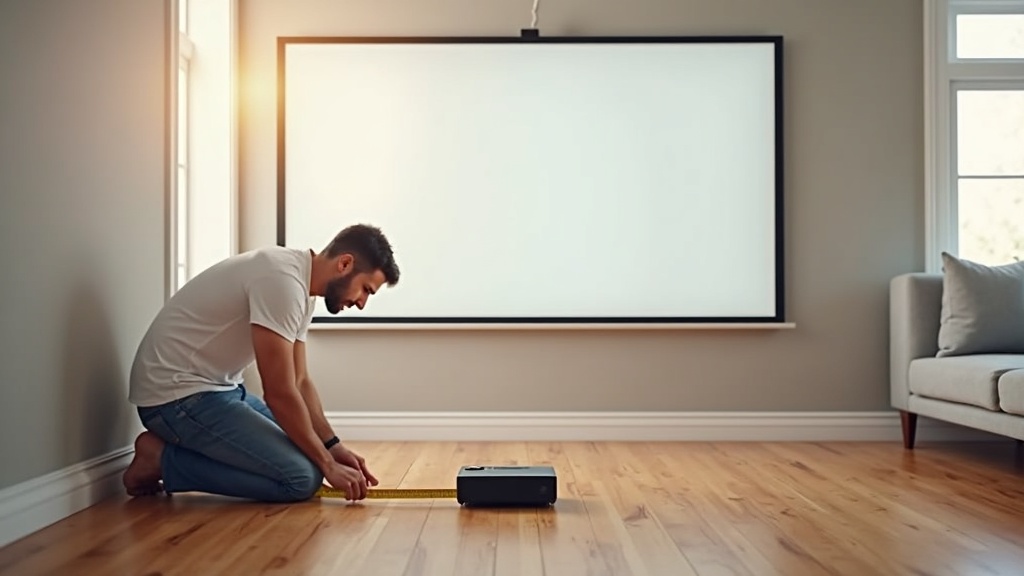
Step-by-step: measure first
- Measure the distance from your intended placement spot to the wall or screen
- Divide projection distance by throw ratio to get maximum screen width
- Multiply screen width by 9/16 to get screen height, and confirm it clears your ceiling
Throw ratio is listed in the catalog under “projection distance,” but spec ranges vary by model. We strongly recommend using the manufacturer’s official projection calculator with your room’s exact dimensions before committing.
How Much Brightness You Actually Need: Day vs. Night Use
The required lumen count varies significantly depending on your viewing environment. A fully blacked-out room with blackout curtains can deliver a great image at 1,500–2,500 lumens. For daytime use in a living room, aim for 3,000 lumens or more.
【Brightness guidelines】
- Night / fully darkened room: 1,500–2,500 lm
- Night / dimly lit room: 2,500–3,500 lm
- Daytime / living room: 3,500+ lm
Keep in mind that the manufacturer’s stated lumen rating is measured at maximum brightness mode. Switching to a cinema color temperature mode often drops the actual output significantly. Referencing user reviews and third-party measurements is a smart move.
When a Short-Throw or Ultra-Short-Throw Projector Makes Sense
Short-throw projectors (throw ratio around 0.5) and ultra-short-throw models (0.25 or less) can fill a 100-inch screen from just 30–50 cm away, making them ideal for smaller rooms like a 6–8 tatami-mat (roughly 100–130 sq ft) space with limited depth. The trade-off: because they project from below upward, image quality depends heavily on a flat, smooth surface. Uneven walls or standard roll-up screens may not show these projectors at their best.
Why HDMI 2.1 Matters for Gaming and High-Frame-Rate Video
If you want to take advantage of 4K/120Hz output or VRR (Variable Refresh Rate) for gaming, HDMI 2.1 is a must. HDMI 2.0 caps out at 4K/60Hz, which means it can’t carry the 120fps signal from a PS5 or Xbox Series X.
For movies and streaming, HDMI 2.0 is fine. For high frame rate gaming, choose a model with HDMI 2.1.
Note that even if the projector has an HDMI 2.1 port, whether the internal image processor actually supports 120Hz input is a separate question. Always check the product page’s “supported resolutions and frame rates” table before purchasing.
Built-In Speakers vs. External Audio: Which Is Right for You
Built-in speakers are convenient — no cables, no extra gear — but the slim, lightweight designs of most projectors leave little room for audio quality. Most pack a 5–10W small-driver unit that sounds underwhelming in larger spaces. If you want a true home theater experience, plan from the start for an external speaker or soundbar.
Common connection options include optical digital output, 3.5mm analog, and Bluetooth. If you want lossless spatial audio like Dolby Atmos, confirm the projector has an optical output. Bluetooth audio introduces latency, which can cause noticeable audio-video sync issues during gaming or dialogue-heavy content.
Best 4K & HDR Projectors in 2026: 7 Top Picks
Based on the key selection criteria we covered earlier, here are 7 standout models worth considering. Each one is highlighted by use case — gaming, movies, or smart features — so start with whichever matches your priorities.
Optoma UHD38 | Best Value for Gaming and Movies Combined
If you want a single projector that handles both gaming and movie watching, the Optoma UHD38 is the first model to consider. It supports 4K UHD resolution with both HDR10 and HLG, and also delivers low input lag in its enhanced gaming mode.
What we love about the UHD38
- 4K UHD + HDR10/HLG support delivers solid image quality
- Built-in gaming mode lets you switch between movies and games seamlessly
- High brightness output keeps the image visible even in moderately lit rooms
Things to keep in mind
- Built-in speaker output is modest — you’ll want external speakers for a serious audio experience
- No smart TV functionality — a media player or external device is required for streaming
For anyone looking to strike a balance between image quality and gaming performance, this is a strong value pick. Check the official site for full specs and current pricing.
If you want smooth, bright visuals for both gaming and movies, check out the latest pricing and full specs for the Optoma UHD38.
ViewSonic PX701-4K | High Brightness and Color Accuracy for Home and Business Use
If you need a projector for work presentations or want to use it during the day without dimming the room, the ViewSonic PX701-4K is a great fit. Its high-brightness design keeps the image clear and punchy even in well-lit environments.
What we love about the PX701-4K
- Brightness-focused design handles daytime use well
- 4K UHD + HDR10 support ensures strong color accuracy
- Versatile enough to double as a business projector and home theater display
Things to keep in mind
- Fan noise tends to increase noticeably in high-brightness mode
- No built-in smart features — an external device is needed for streaming
If you want a 4K + HDR setup under budget, check the latest pricing and specs for the ViewSonic PX701-4K. It’s been a consistently popular model for its value, so it’s worth confirming stock availability before you buy.
BenQ TH685P | Low Input Lag Gaming Projector Built for Responsiveness
If you want to play console or PC games on a big screen, input lag is probably a top concern. The BenQ TH685P is purpose-built as a gaming projector, with its image processing pipeline optimized for minimal latency.
What we love about the TH685P
- Gaming-focused design prioritizes fast response times
- HDR10 support delivers natural contrast and shadow detail
- BenQ’s color management technology ensures accurate, vibrant colors
Things to keep in mind
- Native resolution is Full HD, not 4K — if movie quality is your top priority, other models have an edge
- No built-in smart OS or streaming apps
If big-screen gaming is your main goal, this is a practical, budget-conscious pick that minimizes lag without breaking the bank.
For gamers and movie fans who want big-screen performance with fast response times, the BenQ TH685P is worth a look. Check the latest pricing and full specs on the official site or major retailers.
BenQ W2700i | Android TV Built In — Stream Netflix Without Any Extra Devices
Plenty of people want Netflix directly on their projector, but not many models actually support it natively. The BenQ W2700i includes Android TV out of the box, giving you access to Netflix, YouTube, and other streaming services without needing any additional hardware.
What we love about the W2700i
- Built-in Android TV lets you stream Netflix and YouTube right away
- 4K UHD + HDR10/HLG support delivers excellent image quality
- Cinema color mode optimized for movie watching
Things to keep in mind
- Gaming performance isn’t the top priority here — if gaming is your primary use, another model may suit you better
- Android TV version and app compatibility can change over time — verify before purchasing
If you’re serious about movies and streaming content, check the latest pricing for the BenQ W2700i, which delivers 97% DCI-P3 color coverage and true 4K cinema-quality visuals.
XGIMI Horizon Pro 4K | Smart Projector with Auto Keystone Correction and Autofocus
Ever get frustrated repositioning your projector and readjusting the focus every time? The XGIMI Horizon Pro 4K takes care of that with built-in auto keystone correction and autofocus, so you can skip the manual fiddling every time you set it up.
What we love about the Horizon Pro 4K
- Auto keystone correction + autofocus dramatically reduces setup time
- Built-in Android TV supports Netflix and other streaming apps
- 4K-capable in a compact, portable-friendly body
Things to keep in mind
- Auto-correction accuracy can vary depending on the environment — some fine-tuning may still be needed
- Check the official site for details on light source lifespan
If you want big-screen entertainment with minimal setup hassle — almost grab-and-go style — this model’s ease of use is a major selling point.
Curious about pricing or full specs for the XGIMI Horizon Pro 4K? Head to the official product page to see everything, including how the autofocus and keystone correction work in practice.
Epson EH-TW7000 | 3LCD Technology for Uniform Brightness and True-to-Life Color
Projectors generally use one of two technologies: DLP or 3LCD. The Epson EH-TW7000 uses 3LCD, which is less prone to the “rainbow effect” (color fringing) and produces more even brightness across the entire image. Many viewers find it easier on the eyes during long movie sessions.
What we love about the EH-TW7000
- 3LCD technology delivers uniform brightness and consistent color across the frame
- Minimal rainbow effect makes it well-suited for extended viewing sessions
- Epson’s proprietary image processing produces natural, accurate color reproduction
Things to keep in mind
- The body is on the larger side, so placement options may be more limited
- No smart TV functionality — pairing with an external streaming device is required
If you want to check current pricing and detailed specs, be sure to look up the latest listings. Prices can fluctuate with stock levels, so keeping an eye on timing can help you get the best deal.
Anker Nebula Cosmos Laser 4K | Laser Light Source for Long-Lasting Performance and Wide Color Gamut
Most projectors rely on a traditional lamp (bulb) light source, but the Anker Nebula Cosmos Laser 4K uses a laser light source instead. Compared to conventional lamps, laser light sources last significantly longer and reach full brightness almost instantly — a meaningful difference in everyday use.
What we love about the Cosmos Laser 4K
- Laser light source means a much longer lifespan — no lamp replacements needed
- Wide color gamut delivers vivid yet natural-looking images
- Built-in Android TV supports standalone streaming
- Full brightness from the moment you power it on
Things to keep in mind
- It’s the priciest of the seven models — budget accordingly
- Repair and replacement costs for laser light source units can be higher than traditional lamp models
If you want a projector you’ll own for years and don’t want to deal with burnt-out bulbs, this model makes a compelling case for the higher upfront investment. Check the official site for full specs and current pricing.
If long-term reliability and 4K image quality are both priorities, check the latest pricing and specs on the Anker official site. Free shipping promotions may be available, so it’s worth a look before you buy.
Full Spec Comparison: 7 Models Side by Side
If you’ve read through each model and still can’t figure out which one is right for you, this table is for you. Scan down any column to quickly narrow your options to two or three finalists.
Brightness, Resolution, and HDR Format Comparison
The three specs to check first when choosing a projector are brightness (ANSI lumens), native resolution, and supported HDR formats. Brightness in particular determines whether you’re limited to a dark room or can use the projector in a living room with ambient light.
| Model | Resolution | Brightness | HDR Format | Price Range |
|---|---|---|---|---|
| BenQ TK700STi | 4K UHD | 3,000 lm | HDR10 | Under $1,000 |
| Epson EH-TW7000 | 4K Enhancement | 3,000 lm | HDR10 | Under $1,000 |
| Optoma UHD38x | 4K UHD | 4,000 lm | HDR10 / HLG | Under $1,000 |
| XGIMI HORIZON Pro | 4K UHD | 2,200 lm | HDR10 | Under $1,000 |
| Dangbei Mars Pro 2 | 4K UHD | 3,200 lm | HDR10+ | Under $1,000 |
| JMGO N1 Ultra | 4K UHD | 4,000 lm (CVIA) | HDR10 / HLG | Under $1,000 |
| ViewSonic PX748-4K | 4K UHD | 4,000 lm | HDR10 | Under $1,000 |
Quick-Reference Table by Use Case: Movies, Gaming, Ambient Light, Value
Even with a full spec table, it’s not always obvious which projector fits your actual needs. The table below narrows it down to four common use cases, highlighting what to prioritize and which model comes out on top for each.
| Use Case | Key Priority | Top Pick | Why |
|---|---|---|---|
| Movies & Streaming | Color accuracy / HDR quality | Epson EH-TW7000 | 3LCD panel minimizes color shift, reducing eye fatigue during long viewing sessions |
| Gaming | Low input lag / high frame rate | BenQ TK700STi | Input lag under 16ms with 240Hz support — purpose-built for gaming |
| Bright Room / Living Room | High brightness | Optoma UHD38x / ViewSonic PX748-4K | 4,000+ lm output lets you project without dimming the lights |
| Best Value | Features per dollar | XGIMI HORIZON Pro | Built-in Android TV means no extra streaming device needed — easy setup out of the box |
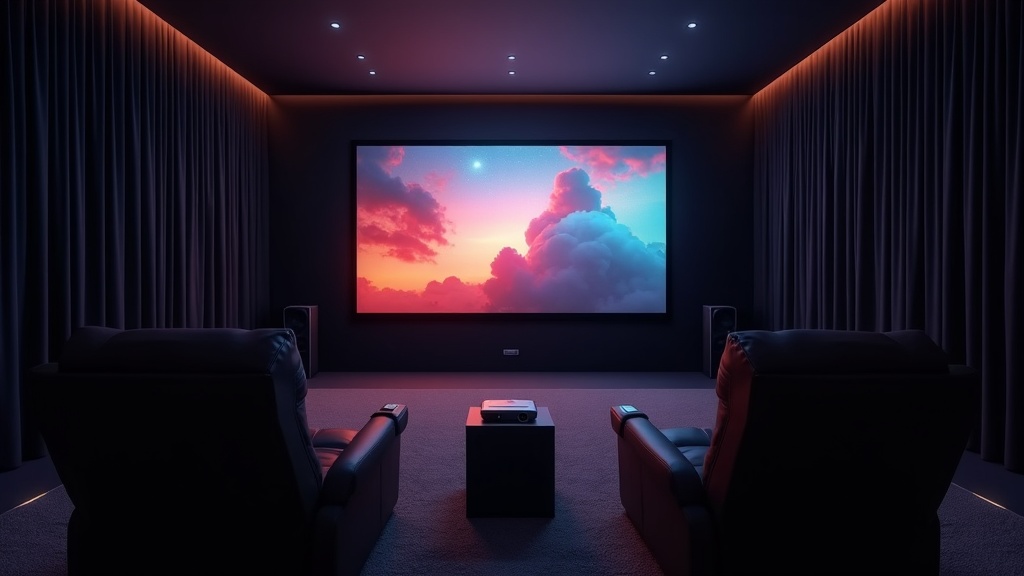
Home Theater Setup: What You Need to Know Before You Install
Even the best projector won’t perform to its potential if your room isn’t set up right. Getting three things right — screen placement, light control, and audio — can dramatically improve your viewing experience.
The Sweet Spot: Screen Size vs. Viewing Distance
Bigger isn’t always better. If your viewing distance doesn’t match your screen size, eye strain sets in fast. A common guideline is to sit at a distance roughly three times the height of the screen.
Recommended Viewing Distances (16:9 Screen)
- 80″ screen (screen height ~39″) → Viewing distance: ~8–10 ft
- 100″ screen (screen height ~49″) → Viewing distance: ~10–12 ft
- 120″ screen (screen height ~59″) → Viewing distance: ~11.5–15 ft
With 4K content, the higher resolution means you can sit closer without seeing individual pixels — roughly 1.5 times the screen height still looks sharp. If you mostly watch Full HD content, sticking to the 3x guideline is the safer bet.
A practical way to think about it: if your room depth is under 13 feet, aim for around 100 inches; if you have 20 feet to work with, 120 inches or larger becomes a realistic option.
How Blackout Curtains and Wall Color Affect Image Quality
Projector image quality comes down to how well the projected light holds up against ambient light. For daytime viewing, blackout curtains rated at 99.99%+ light blocking are the most practical first step.
- Blackout curtains: recreate near-dark conditions even during the day
- Walls near the screen should be mid-to-dark gray — white walls reflect light back onto the image
- White ceilings can reflect light onto the top of the screen, washing out contrast
- Carpet absorbs scattered light better than hardwood or tile floors
Repainting or re-wallpapering your whole room is a big ask, but even adding a dark gray panel or fabric directly behind the screen makes a noticeable difference in perceived contrast. It’s a low-cost tweak worth trying before committing to anything permanent.
How to Boost Audio Quality with a Soundbar or Home Theater Bar
The built-in speakers on most projectors under $1,000 simply aren’t up to the task for serious movie watching. To get audio that matches the visual quality, external speakers are essentially a must.
Check your connection options
If your setup supports HDMI ARC/eARC, you can route audio through your TV to a soundbar. For a direct projector connection, look for HDMI output or Bluetooth support.
Match the soundbar to your room size
For rooms up to about 200 sq ft, a 2.0ch or 2.1ch soundbar is plenty. For larger spaces where you want surround sound, consider a 3.1ch or higher system.
Place it below the screen so audio and video align
Sound coming from a different direction than the image is jarring. Positioning the soundbar directly beneath the screen is the standard approach.
Pair your projector with a soundbar that supports Dolby Atmos or DTS:X passthrough, and compatible content will fill the room with spatial audio. Rather than spending your entire budget on the projector, allocating $200–300 toward audio tends to pay off in overall satisfaction.
FAQ: Common Questions Before Buying a 4K/HDR Projector
Lamp vs. Laser: Which Has Lower Running Costs?
Don’t let a low sticker price turn into regret — here’s what to look at before you buy.
Lamp-based projectors typically cost less upfront, but the lamp will eventually need replacing. Replacement intervals and costs vary by model, so before purchasing, check the official spec sheet for “lamp life (hours)” and “replacement lamp price.”
Laser projectors require virtually no light source maintenance, which keeps ongoing costs low. The higher upfront price tends to pay off over time, especially with heavy use. If you plan to use the projector for ten or more years at a few hours per week, laser is the more economical long-term choice.
How to Watch Netflix and Other Streaming Services on a Projector
Netflix has DRM restrictions that can block direct HDMI output in certain configurations. Here’s how to make sure you can actually watch what you want.
Choose a projector with Android TV or Google TV built in: Models with a Netflix-certified smart TV OS let you stream directly from the app without any extra hardware.
Plug in a Fire TV Stick or Chromecast with Google TV: Just connect to the HDMI port — works with any projector, smart or not.
Avoid screen mirroring from your phone: Due to DRM protection, Netflix frequently blocks video playback during screen mirroring sessions.
Do You Need to Calibrate the Image After Setup?
Out-of-the-box performance isn’t always what you’d expect — here’s why a quick calibration is worth the effort.
Most projectors ship with the display mode set to “Dynamic” or a similarly brightness-boosted preset. This often results in color temperatures that run too cool and oversaturated colors. Simply switching to a Cinema or Movie preset gets you most of the way to natural, accurate color.
For those who want to go further, a calibration disc (Blu-ray test patterns) lets you manually tune brightness, contrast, and color temperature without specialized equipment. A visual check is enough for most users — you don’t need a colorimeter to see meaningful improvement. Since your wall or screen color affects the final look, it’s best to do this calibration once your setup is finalized.
Final Recommendations by Budget and Use Case
After everything covered above, here’s how to cut through the noise and make your final call. These are practical, use-case-driven guidelines that go beyond what a spec table can tell you.
Decision Guide by Use Case and Budget
The right projector depends heavily on your room and what you’ll actually use it for. Use the guide below to find where your situation fits.
Primarily movies and streaming / Budget under $1,000
Look for HDR10 support and at least 2,000 lumens. If you can darken the room, 4K upscaling will get you very close to native 4K quality — you won’t feel like you’re missing out.
Gaming is part of the equation
Always check the input lag spec. Under 30ms is generally considered comfortable for gameplay. If a model doesn’t publish this number, steer clear.
Using it in a bright or well-lit room
Prioritize 3,000+ lumens and temper your expectations on 4K sharpness. Choosing a projector optimized for dark rooms and then using it in daylight is a common source of disappointment.
3 Things to Verify on the Manufacturer’s Website Before You Buy
Reviews — including this one — reflect information available at time of writing. Prices, specs, and warranty terms change, so always confirm the latest details directly with the manufacturer.
-
Current retail price and warranty coverage
Some models swing significantly between sale and regular pricing. Also check whether lamp replacement is covered under warranty — it has a direct impact on long-term costs. -
Exact video format support
“HDR compatible” can mean anything from HDR10-only to full Dolby Vision support. Cross-reference with the streaming services you actually use to make sure the formats align. -
Throw distance and recommended screen size
Run the numbers before your purchase to confirm the projector’s throw ratio works in your room. Short-throw models are a good option when wall-to-seating distance is limited. Most manufacturers offer an online throw distance calculator — use it.
- Use the manufacturer’s throw distance calculator to confirm your setup works
- Verify lamp and unit warranty terms on the maker’s official site
- Match supported HDR formats against the streaming services you use